Learning how to create marketing videos with AI offers a transformative approach to content development, enabling businesses to produce engaging videos efficiently and cost-effectively. By seamlessly integrating advanced AI tools into your workflow, you can craft compelling visual stories that resonate with your target audience.
This comprehensive guide explores all essential aspects, from selecting suitable AI platforms and scripting to designing visuals and audio, assembling the final product, and personalizing content for maximum impact. Harnessing AI’s capabilities empowers marketers to elevate their video marketing strategies with innovative and scalable solutions.
Overview of Creating Marketing Videos with AI
Integrating AI tools into marketing video production workflows revolutionizes the way brands craft compelling visual content. This process involves leveraging advanced algorithms and machine learning models to automate, enhance, and streamline various stages of video creation, from scripting to editing. By incorporating AI, marketers can produce engaging videos more efficiently, reduce costs, and customize content at scale, thus increasing overall campaign effectiveness.
The adoption of AI-driven technologies in marketing videos offers numerous advantages, including increased speed of production, consistent quality, and the ability to generate personalized content tailored to specific audiences. AI tools facilitate rapid iteration and testing, enabling brands to adapt their messaging dynamically based on viewer insights. This integration not only optimizes resource utilization but also enhances viewer engagement through innovative features that elevate the storytelling experience.
Common AI-Driven Features Used in Marketing Videos
Understanding the typical features provided by AI tools helps marketers select the right solutions for their needs. These features streamline various aspects of video creation, making the process more efficient and effective. Below is a structured overview of popular AI functionalities, their primary use cases, and the benefits they provide:
| AI Tool | Function | Typical Use Case | Benefits |
|---|---|---|---|
| Synthesia | AI-powered avatar generation and voice synthesis | Create professional explainer videos with virtual presenters | Reduces costs associated with hiring actors and voiceover artists; accelerates production timelines; allows multilingual content creation |
| Magisto | Automated video editing and storytelling | Transform raw footage into polished marketing videos | Enhances visual appeal with minimal effort; maintains brand consistency; enables rapid content turnaround |
| Lumen5 | Content conversion and scene generation from text | Turn blog posts or scripts into engaging videos for social media | Streamlines content repurposing; improves engagement metrics; saves time on editing |
| Designs.ai | Automatic script writing and voiceover | Generate scripts and narrations for promotional videos | Speeds up content creation; maintains high-quality narration; reduces reliance on external copywriters |
Incorporating these AI features into marketing workflows enables brands to produce high-quality, engaging videos efficiently. The automation of repetitive tasks allows creative teams to focus on strategic aspects, fostering innovation and helping campaigns stand out in competitive digital landscapes.
Selecting the Right AI Tools for Video Creation
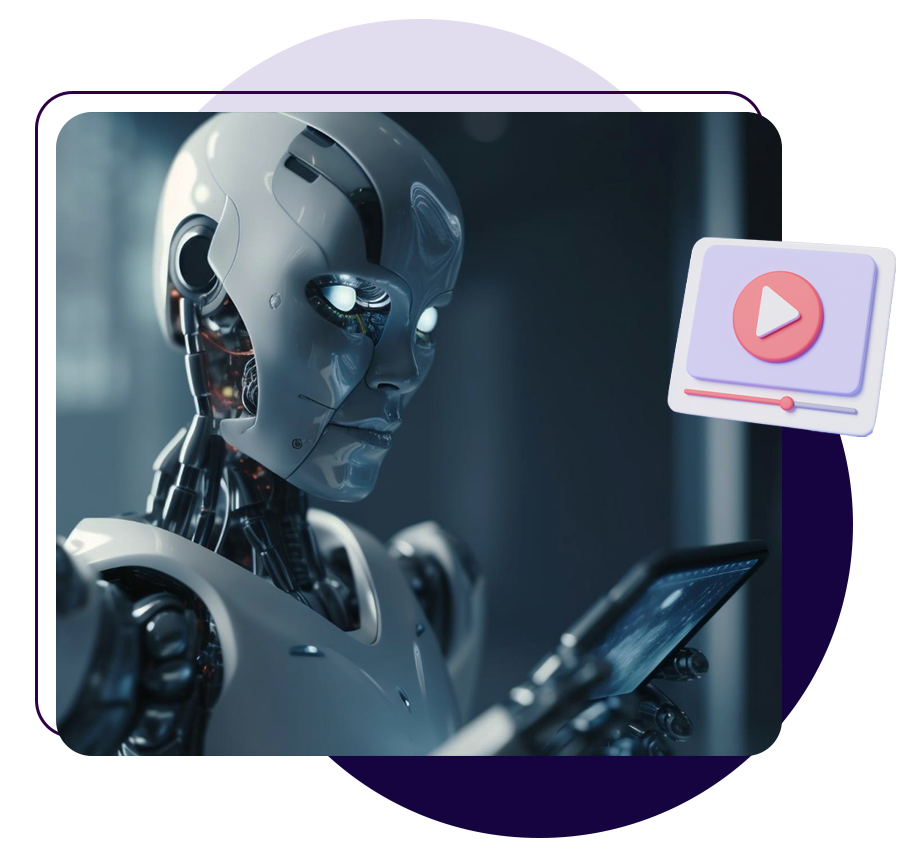
Choosing the appropriate AI-powered video creation platform is essential for aligning your marketing objectives with your resources and desired outcomes. With a variety of tools available, each offering distinct features and capabilities, marketers must evaluate options carefully to maximize efficiency, creativity, and output quality. An informed selection process ensures that the chosen platform supports your brand’s voice, enhances engagement, and delivers professional results.
When assessing AI video creation tools, considerations should include ease of use, customization capabilities, output quality, and integration with existing marketing workflows. Different tools excel in specific areas, making it important to match the platform’s strengths with your campaign goals, target audience, and technical expertise. A strategic approach to selecting AI tools can significantly streamline content production and elevate the overall effectiveness of your marketing strategy.
Popular AI Video Creation Platforms and Core Features
Below is a list of widely recognized AI video creation platforms along with their core features, designed to cater to various marketing needs and levels of technical expertise:
- Lumen5: Transforms blog posts and articles into engaging videos through AI-driven scene selection, text overlay, and media incorporation. Ideal for social media marketing and content repurposing.
- Pictory: Specializes in converting long-form content like webinars and articles into short, shareable videos. Features include automatic captioning, scene detection, and voice-over options.
- Synthesia: Enables creation of videos with AI-generated avatars speaking in multiple languages. Suitable for corporate communications, training, and personalized marketing messages.
- InVideo: Offers templates, stock media, and customizable scenes with AI assistance. Suitable for creating promotional videos, product demos, and advertisements.
- Designs.ai – Videomaker: Provides an intuitive platform for quick video production with AI-powered media selection, editing tools, and customizable styles, ideal for small businesses and startups.
- DeepBrain AI: Focuses on realistic AI avatars and voice synthesis, useful for news updates, explainer videos, and interactive content.
Comparison of AI Video Tools Based on Ease of Use, Customization, and Output Quality
To facilitate informed decision-making, the following table summarizes key aspects of each platform, highlighting their strengths and limitations across critical criteria:
| Platform | Ease of Use | Customization Options | Output Quality |
|---|---|---|---|
| Lumen5 | High | Moderate – Templates with limited scene customization | Good – Suitable for social media standards |
| Pictory | High | Moderate – Automated editing with some manual controls | Very Good – Clear captions and engaging scenes |
| Synthesia | Moderate | High – Custom avatars, multiple languages, personalized scripts | Excellent – Realistic AI avatars and natural speech |
| InVideo | Moderate | High – Extensive templates and editing options | Very Good – Professional quality suitable for diverse marketing materials |
| Designs.ai – Videomaker | High | Moderate – Style-based customization | Good – Meets basic marketing needs efficiently |
| DeepBrain AI | Moderate | High – Customizable avatars and voice options | Exceptional – Highly realistic avatars and speech synthesis |
Criteria for Choosing an AI Video Creation Tool for Marketing Goals
Effective selection of an AI video creation platform hinges on aligning its features with specific marketing objectives. Consider the following criteria:
Target Audience Engagement: Opt for tools that produce visually appealing videos with high output quality to capture attention and increase sharing potential.
Content Type and Complexity: For simple social media snippets, user-friendly platforms like Lumen5 or Designs.ai may suffice. For more personalized or professional content, platforms like Synthesia or DeepBrain AI offer advanced customization.
Budget and Resources: Balance the platform’s capabilities with your budget. Entry-level solutions provide quick results, while premium tools may require higher investment but offer superior features and realism.
Integration and Workflow Compatibility: Ensure the chosen platform integrates seamlessly with your existing marketing tools and content management systems for streamlined production.
Language and Localization Needs: If targeting multilingual audiences, platforms like Synthesia provide multi-language support with realistic voice synthesis, making them ideal for global campaigns.
Planning and Scriptwriting for AI-Generated Videos

Effective planning and meticulous scriptwriting are crucial steps in producing compelling marketing videos with AI. Well-structured content ensures that the AI tools can generate videos that accurately reflect your marketing objectives, resonate with your target audience, and maintain a cohesive message throughout. Establishing clear messaging, defining the flow of information, and crafting detailed scripts are foundational for maximizing the capabilities of AI video synthesis technologies.
This process involves translating your marketing goals into a sequence of logical segments, each with specific content and visual cues. Proper planning ensures that the AI-generated visuals align seamlessly with the narrative, resulting in engaging and professional videos that enhance your brand’s communication strategy.
Methods for Outlining Marketing Messages Suitable for AI Video Generation
To create effective Artikels, it is essential to focus on clarity, brevity, and relevance of your marketing messages. Begin by identifying the core value proposition or key message you want to convey. Break down complex ideas into simple, digestible points that can be visually represented in the video. Prioritize messages that lend themselves well to visual storytelling, such as demonstrating product features, benefits, or customer testimonials.
Structuring your Artikel around the customer journey or the problem-solution framework is highly effective. Highlight the pain points your product addresses, followed by the unique solution your brand offers. Incorporate emotional triggers and callouts that can be emphasized visually, ensuring the AI can generate scenes that reinforce these messages convincingly.
Procedures for Scripting Content to Maximize AI Video Synthesis Capabilities
Scripting for AI video creation should focus on clarity, specificity, and visual cues. Use concise language that clearly describes the intended visuals, actions, and tone. Incorporate explicit instructions for scene transitions, character actions, and background elements to guide the AI in generating coherent visuals aligned with the narrative.
Employ a structured approach to scripting, dividing the content into segments such as introduction, main message, and call-to-action. Use descriptive language that conveys emotion, emphasis, or tone, which helps the AI produce visuals that evoke the desired response from viewers. Including placeholders or suggestions for visuals, such as “showcase product in use” or “highlight customer satisfaction,” ensures consistency and relevance in the final video output.
Sample Structured Script for AI-Generated Marketing Video
Below is an example of a well-organized script designed to guide AI video synthesis, ensuring each segment communicates the intended message effectively:
- Introduction: Welcome viewers with an engaging opening that introduces the brand and captures attention.
- Main Message: Highlight the primary benefits of the product or service, demonstrating how it solves customer pain points.
- Call-to-Action: Encourage viewers to take the next step, such as visiting the website, signing up, or contacting sales.
Example structured script:
- Introduction: “Discover the future of home automation with SmartHomeX.”
Visual cues: Show a modern, connected home environment with various smart devices in action. - Main Message: “Our system seamlessly integrates lighting, security, and climate control, giving you full control from anywhere.”
Visual cues: Demonstrate a user adjusting settings via smartphone, scenes of automated lighting, security alerts, and climate adjustments. - Call-to-Action: “Join thousands of satisfied homeowners. Visit SmartHomeX.com today and upgrade your living experience.”
Visual cues: Display website interface, happy family enjoying their smart home, and a clear call-to-action button or link.
Creating Visual and Audio Content with AI
Developing compelling visual and audio elements is a crucial component of producing engaging marketing videos using AI. Leveraging advanced AI tools enables content creators to craft visually appealing scenes and realistic audio narratives efficiently, reducing production time and costs while maintaining high quality.
Utilizing AI-powered solutions for visuals and sound allows marketers to generate custom imagery, dynamic scenes, and natural-sounding voiceovers that resonate with target audiences. These technologies offer versatility and scalability, making it easier to produce tailored content for diverse campaigns without extensive technical expertise.
Designing Visual Content Using AI Image Generation Tools and Templates
Creating captivating visuals is fundamental to capturing viewer attention and conveying your marketing message effectively. AI image generation tools use sophisticated algorithms, such as Generative Adversarial Networks (GANs), to produce high-quality images based on text prompts or predefined templates. These tools enable marketers to craft unique visuals that align precisely with brand themes and campaign objectives.
Key techniques include:
- Text-to-Image Generation: Input descriptive prompts into AI models like DALL·E or Midjourney to generate images that match specific concepts, such as a vibrant product showcase or an innovative service environment.
- Template Customization: Use AI-driven design platforms that offer customizable templates, allowing rapid adaptation to different branding styles, color schemes, and messaging themes. These templates provide ready-made layouts optimized for social media, landing pages, or video backgrounds.
- Iterative Refinement: Employ AI tools that support iterative editing, enabling the refinement of images by adjusting parameters like style, color saturation, or composition, ensuring the visuals meet precise campaign needs.
“AI-generated visuals empower marketers to produce bespoke images at scale, reducing reliance on stock photos and enhancing brand originality.”
Generating Voiceovers with AI Voice Synthesis Technology
Authentic and engaging voiceovers enhance the storytelling aspect of marketing videos. AI voice synthesis technology offers a practical solution for creating natural-sounding narration without hiring voice actors or recording studios. These systems can produce high-quality speech that matches the tone, style, and pacing required for various marketing contexts.
Effective techniques for AI-powered voiceover creation include:
- Selection of Voice Profiles: Choose from a diverse range of AI voices that vary in gender, age, accent, and tone to align with your brand personality and target audience. Leading platforms like Amazon Polly, Google Cloud Text-to-Speech, and Resemble AI offer extensive voice libraries.
- Script Optimization: Develop clear, concise scripts optimized for synthetic speech, incorporating natural pauses and emphasis to enhance realism. AI voice systems interpret punctuation and intonation cues to produce expressive narration.
- Customization and Fine-tuning: Adjust parameters such as speech speed, pitch, and emphasis to achieve a natural rhythm. Some platforms provide emotional tone controls, enabling voices to sound more enthusiastic, serious, or friendly based on the campaign’s needs.
Advanced AI voice synthesis can also generate multilingual and dialect-specific narrations, broadening the reach of marketing content. For example, a global brand launching a campaign in multiple regions can produce localized voiceovers efficiently without extensive recording sessions.
Assembling and Editing AI-Generated Videos
Creating a polished marketing video involves more than generating individual visual and audio components. It requires a systematic approach to assemble these elements into a coherent and engaging final product. Effective editing ensures that the message is clear, visuals are seamless, and audio complements the visuals perfectly. Leveraging AI-powered editing tools can significantly streamline this process, improve video quality, and enhance viewer engagement, making the final output more professional and compelling.
AI-driven editing solutions automate time-consuming tasks such as scene transitions, color correction, sound balancing, and visual effects. These tools not only expedite the editing process but also provide intelligent suggestions to optimize video performance. The following steps Artikel a structured approach to assembling and refining AI-generated videos, along with a comparison of popular editing software options and tips for maximizing quality and engagement.
Step-by-Step Procedures for Compiling Visual and Audio Components
Organizing a cohesive video project from AI-generated assets entails a clear sequence of steps to ensure smooth integration and high-quality results. The process begins with importing all visual and audio files into the editing environment, followed by meticulous alignment and synchronization. Consider the following workflow:
- Import all visual components, including images, clips, and animations, into the editing software.
- Import audio tracks such as voiceovers, background music, and sound effects.
- Arrange visual elements on the timeline in chronological order or as per the storyboard/script.
- Synchronize audio with corresponding visuals, adjusting timing to ensure clarity and engagement.
- Apply transitions, overlays, and effects to enhance visual flow and storytelling.
- Utilize AI tools for auto-color correction, noise reduction, and visual stabilization to improve quality.
- Review the assembled timeline to identify inconsistencies or abrupt transitions, making adjustments as necessary.
- Render a draft version for review, implementing feedback to refine the editing.
- Export the final version in suitable formats optimized for different platforms, such as social media or website hosting.
Comparison of AI-Enabled Video Editing Software
Choosing the right editing software is vital for efficient assembly and high-quality output. Below is a comparison of popular AI-enabled editing tools, highlighting key features and options:
| Feature / Software | Adobe Premiere Pro with Adobe Sensei | CyberLink PowerDirector | Magisto | InVideo |
|---|---|---|---|---|
| Automation Capabilities | Auto color matching, scene detection, intelligent audio cleanup | AI style transfer, auto footage stabilization | Automated video editing based on templates, smart trimming | Auto text-to-video, background removal, scene suggestions |
| Ease of Use | Advanced, suitable for professionals with learning curve | User-friendly interface suitable for beginners and pros | Highly intuitive, minimal editing experience required | Drag-and-drop with guided tools for quick edits |
| Output Quality | Supports 4K, HDR, fine-tuned controls for professional results | 4K support, various aspect ratios, high fidelity | HD and 4K export options, optimized for social sharing | HD, 720p, 1080p, with optimized encoding |
| Pricing Model | Subscription-based, with Adobe Creative Cloud plans | Subscription and one-time purchase options | Subscription plans with free tiers | Subscription-based with free trial |
Tips for Enhancing Video Quality and Engagement with AI Editing Tools
Maximizing the impact of marketing videos involves strategic use of AI-driven editing features to boost visual appeal and viewer interaction. Key tips include:
- Utilize AI-powered color grading and correction to ensure consistent, vibrant visuals that capture attention.
- Apply intelligent noise reduction and stabilization to produce smooth and professional-looking footage, especially when working with raw or shaky clips.
- Leverage auto-captioning and subtitles, which AI tools can generate quickly, to improve accessibility and viewer retention.
- Incorporate AI-based scene detection to identify key moments and create dynamic cut points that maintain viewer interest.
- Use AI-driven audio enhancement to balance sound levels, remove background noise, and add immersive effects, ensuring clarity and engagement.
- Experiment with AI-powered visual effects and transitions to add creative flair without extensive manual editing.
- Regularly preview edits with AI suggestions to optimize pacing, tone, and visual storytelling for maximum impact.
- Develop standardized templates that include designated areas for logos and visual cues.
- Use consistent color schemes and fonts that reflect brand guidelines across all video variations.
- Implement AI-driven overlays that can automatically insert or update branding elements based on the target audience or campaign specifics.
- Ensure that branding elements do not overpower the content; rather, they should complement and reinforce the message without distraction.
- Template Development: Create versatile templates with modular components such as intro/outro sequences, text overlays, and placeholder visual sections for dynamic content.
- Data Integration: Connect customer databases and analytics platforms to populate templates with relevant information automatically.
- Automation Workflow: Implement AI-powered tools that can generate multiple video variants by replacing content blocks based on predefined rules or real-time data inputs.
- Quality Assurance: Establish review processes to verify that personalization elements are correctly applied and branding standards are maintained.
- Feedback Loop: Use viewer engagement metrics to continuously refine templates, ensuring the content remains relevant and effective.
- Use the highest feasible resolution supported by your platform, typically 1080p or 4K, to maintain visual clarity.
- Choose the appropriate codec, such as H.264 or H.265 (HEVC), which balance quality and compression efficiency for optimal playback compatibility and file size.
- Set a high bitrate to preserve detail without excessively increasing file size. A bitrate of 10-20 Mbps is recommended for 1080p content, while 4K videos may require 35 Mbps or higher.
- Ensure audio is exported at a suitable sample rate (e.g., 48 kHz) and bitrate (e.g., 192 kbps or higher) to maintain sound quality.
- Enable export options for color fidelity and dynamic range, such as HDR support if applicable.
- Preview the exported video on different devices to verify quality and compatibility before final distribution.
- Social Media Platforms: Leverage channels like Facebook, Instagram, LinkedIn, Twitter, and TikTok to target specific demographics. Customize video formats and lengths to match platform specifications and audience preferences.
- YouTube and Video Hosting Sites: Use YouTube for longer-form content, tutorials, and brand stories. Optimize titles, descriptions, and tags for to increase discoverability.
- Website and Landing Pages: Embed videos directly on your site to enhance engagement, improve conversion rates, and provide a seamless user experience.
- Email Campaigns: Incorporate videos into newsletters and targeted emails to boost open and click-through rates. Use thumbnail images linked to the video for better engagement.
- Paid Advertising: Utilize video ads on Google Ads, Facebook Ads, and other platforms to reach broader audiences with targeted messaging.
- MP4 (H.264) – Most versatile and compatible across platforms
- MOV – Preferred for high-quality editing and Apple ecosystem
- WebM – Suitable for web-specific applications
- HEVC (H.265) – Better compression for 4K content
- YouTube – Optimized for long-form content and
- Facebook & Instagram – Vertical/horizontal videos, short formats
- LinkedIn – Professional and B2B content
- Website – Embedding for direct engagement
- Email – Use thumbnail images linking to hosted videos
- Use descriptive, -rich titles and descriptions
- Add relevant tags and categories for discoverability
- Include engaging thumbnails to increase click-through rates
- Ensure mobile responsiveness and fast loading times
- Compress files without losing quality for quicker playback
- Use captions and subtitles to enhance accessibility and reach non-native speakers
“Harnessing AI editing features can dramatically elevate the quality of your marketing videos, making them more professional, engaging, and effective in conveying your message.”
Customization and Personalization Strategies
Creating marketing videos that resonate deeply with specific audiences is essential for effective engagement and brand loyalty. Personalization enables brands to connect on a more individual level, increasing the likelihood of converting viewers into customers. Tailoring AI-generated video content involves leveraging data, branding elements, and scalable frameworks to produce unique and relevant messaging for each target demographic or individual viewer.
Effective customization and personalization of AI-created videos require strategic methods to ensure that content aligns with the viewer’s preferences, behaviors, and brand expectations. This approach not only enhances viewer engagement but also maximizes return on investment by delivering more meaningful and targeted messaging in a scalable manner.
Methods to Tailor AI-Created Videos to Specific Target Audiences
Understanding your audience is foundational for successful personalization. Utilizing data-driven insights allows marketers to craft videos that speak directly to viewer interests, demographics, or behaviors. Strategies include segmenting audiences based on factors such as age, location, purchase history, or browsing patterns, and then customizing video content accordingly.
AI tools can analyze large datasets to identify patterns and preferences, enabling automated adjustment of visual elements, messaging, and call-to-actions tailored to each segment. For example, a fashion retailer might create different video variations highlighting seasonal collections suited to different age groups or regional climates. Dynamic content insertion, where AI replaces or modifies segments based on viewer data, ensures each viewer receives a version of the video most relevant to them.
Incorporating Branding Elements Effectively into AI-Generated Content
Seamlessly integrating branding elements into AI-generated videos is crucial for maintaining brand consistency and recognition. This involves embedding logo placements, brand colors, typography, and slogans within video templates in a way that aligns with the overall visual identity.
To effectively incorporate branding:
AI tools can also analyze viewer engagement to optimize the placement and prominence of branding elements, ensuring maximum visibility without compromising viewer experience.
Designing Templates and Frameworks for Personalizing Videos at Scale
Scaling personalization requires structured templates and frameworks that facilitate rapid customization while maintaining quality. Establishing standardized processes allows marketers to generate a large volume of tailored videos efficiently.A practical framework includes:
For example, an e-commerce platform could develop a set of customizable video templates that dynamically showcase personalized product recommendations, discounts, and regional offers, thereby enabling rapid deployment across various customer segments.
Finalization, Export, and Distribution

After creating and refining your marketing videos using AI tools, the final steps involve exporting high-quality files and strategically distributing them to reach your target audience effectively. Proper finalization ensures your video maintains its visual and audio integrity across different platforms, while a well-planned distribution maximizes engagement and brand visibility. This segment offers detailed guidance on best practices for exporting, optimizing, and disseminating your AI-generated marketing videos to achieve optimal results.
Executing these steps with precision is essential to ensure your content resonates with viewers and performs well across various channels. From choosing appropriate export settings to selecting the right distribution platforms, careful planning during this phase can significantly enhance your campaign’s success. Below, key aspects and actionable recommendations are Artikeld to assist you in mastering the finalization and dissemination of your marketing videos.
Best Practices for Exporting High-Quality Marketing Videos
Ensuring the quality of your exported videos is crucial for professional presentation and viewer engagement. AI platforms generally offer multiple export options, but selecting the correct settings guarantees your video appears crisp and functions smoothly across different devices and platforms.
Organizing Distribution Channels and Methods
Maximizing the reach of your marketing videos involves strategic selection and organization of distribution channels. Different platforms cater to various audiences and content formats, making it essential to tailor your approach accordingly.
Coordinating these channels involves establishing a content calendar, monitoring platform-specific metrics, and adjusting strategies based on audience response and engagement data. Consistency in branding and messaging across all channels reinforces your campaign’s effectiveness.
Export Formats, Platforms, and Optimization Tips Checklist
| Aspect | Recommendations |
|---|---|
| Export Formats |
|
| Distribution Platforms |
|
| Optimization Tips |
|
Applying these best practices ensures your AI-generated marketing videos are polished, accessible, and effectively distributed to maximize audience engagement and campaign success.
Last Point
In conclusion, mastering how to create marketing videos with AI unlocks a new realm of creative possibilities and operational efficiencies. By carefully selecting tools, planning content, and leveraging AI-driven customization, businesses can produce high-quality, targeted videos that significantly enhance their marketing reach and engagement.