Discover how to create TikTok content using AI to streamline and enhance your video production process. Leveraging artificial intelligence tools allows creators to generate ideas, scripts, visuals, and audio efficiently, transforming the way content is made and delivered. This approach not only saves time but also opens up new creative possibilities, making it accessible for both beginners and experienced creators to produce captivating TikTok videos.
By integrating AI into each stage—from planning and scripting to editing and optimization—you can elevate your content quality and increase engagement. Understanding the best tools and techniques ensures your videos stand out in a competitive landscape, helping you reach your target audience more effectively while maintaining originality and adhering to platform standards.
Introduction to Creating TikTok Content with AI
Integrating artificial intelligence (AI) tools into TikTok content creation has revolutionized the way creators develop engaging and innovative videos. AI technology offers numerous capabilities, from generating content ideas to editing visuals, enhancing the overall production process. This approach allows creators to produce high-quality content more efficiently, reducing both time and resource expenditure while maintaining a high level of creativity.
The incorporation of AI in TikTok creation workflows streamlines various stages—from conceptualization to publishing—by automating repetitive tasks, providing data-driven insights, and offering creative suggestions. This integration not only accelerates production but also helps creators stay ahead of trending content, ensuring their videos remain relevant and captivating for their audience. As a result, creators can focus more on storytelling and engagement, leveraging AI as a powerful assistant in their creative journey.
Typical Workflow of AI-Enhanced TikTok Content Production
Understanding the typical workflow involved in AI-assisted TikTok content creation is essential for effective implementation. This workflow encompasses several stages, each optimized through AI technologies to maximize output quality and efficiency.
- Ideation and Trend Analysis: AI tools analyze trending topics, hashtags, and viral content to generate content ideas aligned with current audience preferences. Platforms like TikTok’s own trending algorithms or third-party AI analytics tools provide valuable insights that inform video themes.
- Script and Concept Development: Using natural language processing (NLP) models, creators can develop scripts, captions, or voiceovers. These AI-driven suggestions help craft compelling narratives that resonate with viewers, incorporating popular phrases or s for better reach.
- Visual and Audio Content Generation: AI-powered applications can generate or enhance visuals, such as creating animated backgrounds, applying filters, or editing footage automatically. Similarly, AI tools can produce background music or sound effects tailored to the video’s mood, ensuring a cohesive audiovisual experience.
- Editing and Post-Production: Automated editing tools leverage AI algorithms to cut, trim, and assemble clips seamlessly. They can also stabilize footage, adjust lighting, and synchronize audio, significantly reducing manual editing time while maintaining professional quality.
- Optimization and Publishing: AI assists in optimizing video descriptions, hashtags, and thumbnails to maximize visibility. Some platforms offer scheduling features that adapt posting times based on audience engagement patterns, ensuring content reaches optimal viewers.
By following this workflow, TikTok creators can produce engaging, trend-aware videos with less effort, leveraging AI to stay competitive in a crowded digital landscape. The result is a more agile content creation process that combines human creativity with machine efficiency for outstanding results.
Identifying Suitable AI Tools for TikTok Content
Choosing the appropriate AI tools is a crucial step in streamlining TikTok content creation, ensuring efficiency, quality, and relevance to your target audience. With a diverse array of applications available, understanding their features, usability, and customization potential helps creators make informed decisions tailored to their niche and style.
This section provides a comprehensive comparison of popular AI applications used for video editing, scriptwriting, and voice generation. Additionally, it offers guidance on selecting the most suitable tools based on your content niche and audience preferences, enabling you to optimize your TikTok strategy with AI-driven solutions.
Comparison of Popular AI Applications for TikTok Content Creation
Below is a detailed comparison of widely-used AI tools across three primary categories: video editing, scriptwriting, and voice generation. This overview considers aspects such as user-friendliness, cost, and customization options, helping creators identify the best fits for their specific needs.
| AI Tool | Category | Key Features | User-Friendliness | Cost | Customization Options |
|---|---|---|---|---|---|
| InVideo | Video Editing | Template library, AI-driven scene selection, automatic subtitles | High – intuitive drag-and-drop interface | Free plan available; Paid plans start at $20/month | Moderate – custom templates, branding options |
| Lumen5 | Video Editing | AI-powered storyboard creation, media library integration | High – designed for non-experts | Free basic plan; paid plans from $49/month | Moderate – style customization, media editing |
| Jarvis (Jasper) | Scriptwriting | AI-generated scripts, content ideas, optimization | High – simple prompt-based interface | Starts at $29/month; enterprise plans available | Extensive – tone, style, length adjustments |
| Copy.ai | Scriptwriting | Template-based content creation, idea generation | High – user-friendly dashboard | Free plan with limited credits; paid from $36/month | Moderate – content style and tone tuning |
| Murf.ai | Voice Generation | Realistic AI voices, multiple languages, voice customization | High – simple voice selection and editing | Free trial available; subscriptions from $13/month | High – pitch, speed, emphasis adjustments |
| Descript | Video Editing & Voice | Multitrack editing, AI voice cloning, transcription | High – user-friendly with drag-and-drop interface | Free plan available; paid plans from $12/month | High – custom voice creation, editing controls |
Selecting the Best AI Tools Based on Content Niche and Target Audience
Effective selection of AI tools hinges on understanding the specific needs of your content niche and the preferences of your target audience. Different niches demand varying styles of presentation, tone, and engagement strategies, which can be optimized through tailored AI applications.
For instance, creators focusing on educational or informative content may prioritize scriptwriting tools like Jasper or Copy.ai that generate clear, concise scripts aligned with their pedagogical style. Conversely, entertainment-focused TikTokers might lean towards advanced video editing platforms like InVideo or Descript, which facilitate dynamic visual effects and seamless editing workflows.
Audience demographics also influence tool selection. A younger demographic might appreciate lively voiceovers created with Murf.ai or Descript, offering a natural yet engaging tone. Brands targeting professional or corporate audiences may prefer more polished and branded content, achievable through customizable templates and voice options.
In summary, an effective approach involves assessing your niche’s stylistic requirements, understanding your audience’s preferences, and choosing AI tools that support these elements effectively. Testing different applications and reviewing their outputs ensures that your AI-driven content resonates well and maintains high quality standards across your TikTok channel.
Planning and Ideation Using AI
Creating compelling and trending TikTok content requires a systematic approach to idea generation and planning. Leveraging AI tools can streamline this process, enabling creators to produce innovative content that resonates with audiences. By harnessing AI’s capabilities, content creators can efficiently brainstorm, refine, and categorize their ideas, ensuring a consistent flow of engaging TikTok videos that align with current trends and viral themes.Effective planning and ideation involve multiple steps that utilize AI’s brainstorming and analytical features.
These steps help in identifying trending topics, generating creative concepts, and organizing ideas for optimal execution. Implementing a structured approach enables TikTok creators to stay ahead of the content curve, adapt quickly to viral trends, and maintain audience engagement over time.
Developing a Step-by-Step Procedure for Generating Creative TikTok Ideas Using AI
To systematically generate innovative TikTok ideas with AI, follow this structured procedure:
- Identify Your Niche and Audience Preferences: Begin by defining your target audience and niche. Use AI-powered analytics tools to analyze trending content within your niche, paying attention to popular themes, hashtags, and content formats.
- Utilize AI Brainstorming Features: Employ AI tools such as chatbots or content generators to brainstorm ideas. Input your niche and trending s to receive a list of potential themes, challenges, or formats suitable for TikTok.
- Refine and Select Promising Concepts: Review the AI-generated ideas, filtering out those that align closely with your brand voice and audience interests. Use feedback from AI to tweak concepts for improved relevance and originality.
- Validate Ideas Against Viral Trends: Cross-reference your ideas with current trending topics and viral challenges on TikTok. AI trend analysis tools can assist in identifying which concepts are gaining traction.
- Create a Content Calendar: Schedule your ideas strategically, considering timing and trending periods. Use AI-based planning tools to optimize posting times based on audience activity patterns.
Designing a Template for Using AI to Identify Trending Themes and Viral Content Concepts
A well-structured template helps in systematically capturing and analyzing trending themes, ensuring your content stays relevant and engaging. The template should include the following components:
Trending Theme: Specify the current popular theme or challenge. Example: “Dance challenges,” “Comedy skits,” or “Product reviews.”
Source of Trend: Note where the trend is originating, such as TikTok Discover page, hashtags, or trending sounds.
Viral Content Concepts: List specific ideas inspired by the trend, such as “Lip-syncing to trending audio” or “Duet with viral creator.”
Potential Hashtags: Include suggested hashtags to maximize visibility.
Content Format: Define whether the idea suits a duet, stitch, POV, or a standalone video.Estimated Engagement: Use AI tools to predict potential reach or engagement based on similar past content.
Organizing Content Ideas into Categories for Clarity
Organizing ideas into clear categories enhances planning efficiency and content diversity. Use an HTML table to structure your content ideas, enabling quick access and easy revision. An example format:
| Category | Idea Description | Trending Theme | Content Format | Target Hashtags | Notes |
|---|---|---|---|---|---|
| Dance Challenges | Choreograph a new dance to trending sound | Music and dance | Dance | #DanceChallenge #TrendingMusic | Use popular background music for higher engagement |
| Comedy Skits | Short humorous scenario about everyday life | Relatable content | Sketch | #Comedy #Relatable | Incorporate trending sound effects |
| Product Reviews | Unboxing and reviewing a trending gadget | Tech trends | Review | #TechReview #GadgetUnboxing | Highlight unique features to stand out |
| Educational Content | Tips on mental health using popular audio | Wellness | Informative | #MentalHealth #Tips | Use engaging visuals to retain viewers |
This structured organization helps keep your content ideas manageable, facilitates focused creation, and ensures coverage across multiple content categories, maximizing your TikTok account’s potential for viral success.
Scripting and Storyboarding with AI Assistance
Creating compelling TikTok content relies heavily on effective scripting and visual planning. Leveraging AI tools can significantly streamline this process, enabling content creators to develop engaging narratives and well-structured storyboards with ease. By integrating AI into these stages, creators can produce content that resonates more profoundly with their audience while saving valuable time and effort.AI-driven scripting involves utilizing advanced text generation platforms to craft captivating scripts tailored to specific themes, tones, or target demographics.
These tools analyze input prompts, trending topics, and audience preferences to generate coherent and engaging dialogues or narration scripts that align with the creator’s vision. This approach ensures consistency and creativity, especially when producing content frequently or managing multiple projects simultaneously.Designing storyboards with AI assistance involves translating generated scripts into visual plans that map out each scene’s flow, visual cues, and transitions.
AI-powered storyboarding tools can help visualize scenes based on descriptive prompts or script excerpts, automatically proposing camera angles, character positions, and visual effects. This synergy between script and visuals ensures that the final video maintains narrative coherence and visual appeal, making the production process more efficient and organized.
Creating Engaging Scripts via AI Text Generation Platforms
To craft engaging scripts, creators should input detailed prompts into AI text generation platforms such as Kami, Jasper, or Copy.ai. Providing context about the target audience, desired tone, and key messages allows these platforms to generate tailored content. For instance, a creator focusing on fitness tips might input prompts like: “Create a lively, concise script for a TikTok video demonstrating quick home workout routines for busy professionals.” The AI then produces a script that can be refined or directly used, ensuring ideas are fresh and aligned with current trends.Utilizing AI for scripting encourages experimentation with different styles, tones, and storytelling formats, fostering creativity and reducing writer’s block.
Additionally, AI-generated scripts can serve as valuable starting points, which creators can customize to add personal flair or specific details, further enhancing authenticity.
Designing Storyboards that Sync with AI-Generated Scripts
Effective storyboarding requires translating scripts into visual sequences that complement the narrative. AI-assisted storyboarding tools, such as Boords or StudioBinder, can analyze scripts and suggest scene breakdowns, visual elements, and transitions. These platforms often allow creators to input script excerpts or scene descriptions, prompting the AI to generate visual layouts and cues.A structured approach involves mapping each scene with specific details, including dialogue, camera angles, lighting, and visual effects.
For example, for a humorous skit, the AI might suggest a close-up shot during punchlines or a wide shot to establish context. This alignment ensures the visuals enhance the storytelling, making the video more engaging and professional.
| Scene Number | Dialogue / Narration | Visual Cues / Shot Description | Notes / Special Effects |
|---|---|---|---|
| 1 | “Welcome to our quick fitness hack!” | Medium shot of the host smiling at camera | Bright lighting, upbeat background music |
| 2 | “Try this simple squat challenge.” | Close-up of legs performing squats, camera from side | Overlay text with challenge instructions |
| 3 | “Done! Remember to stay active.” | Wide shot of host encouraging, background of home gym | Fade out with logo and call-to-action |
This structured breakdown ensures that each scene is purposeful, visually cohesive, and synchronized with the script, resulting in high-quality TikTok videos that effectively communicate their message to viewers.
Video Production and Editing Using AI
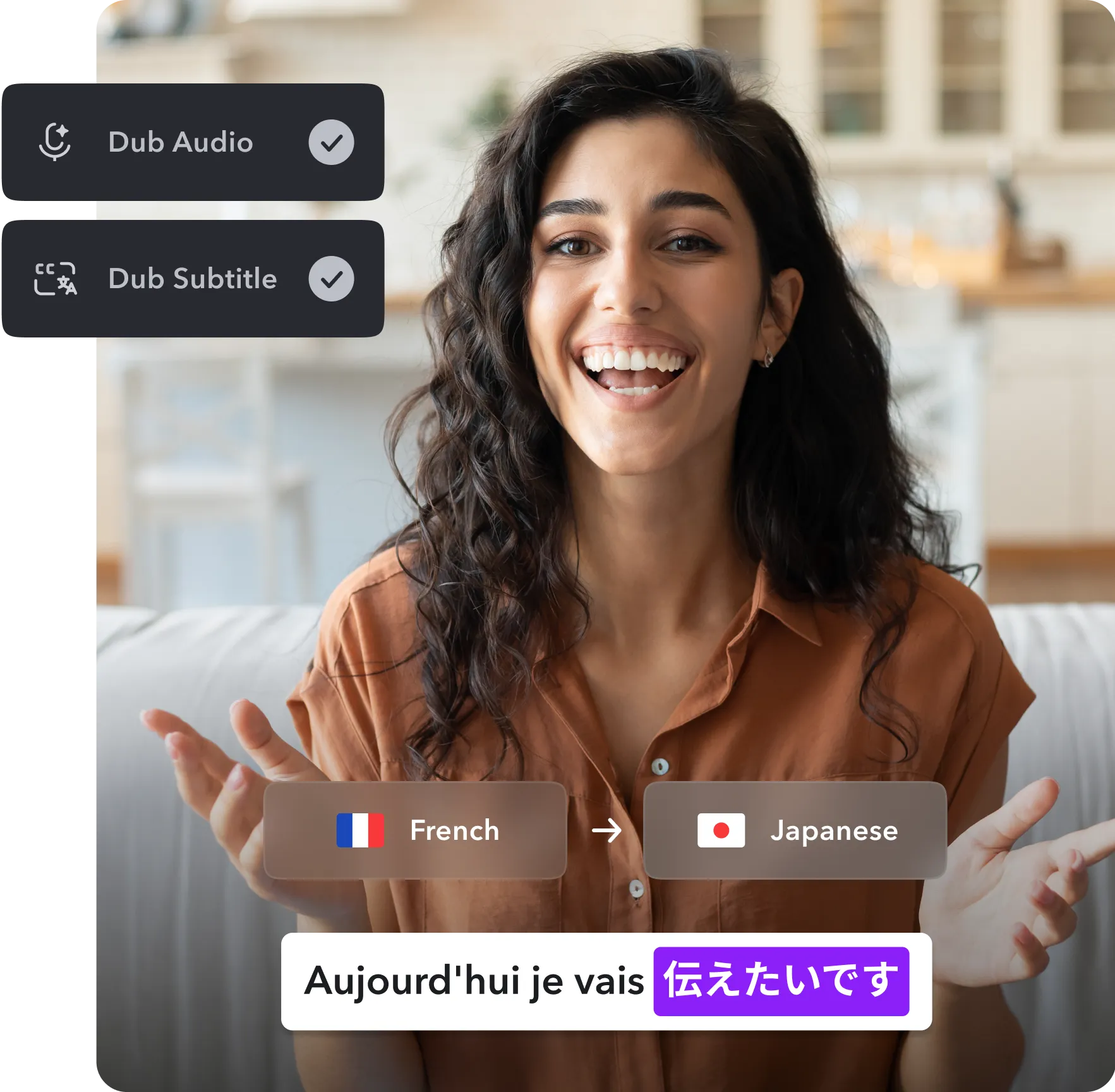
Leveraging AI in video production and editing streamlines the post-production process, enabling creators to produce polished TikTok videos efficiently. Automating repetitive tasks and enhancing creative effects with AI tools not only saves time but also elevates the overall quality of content. Understanding how to effectively utilize AI-powered software for editing is crucial for content creators aiming to stay competitive and innovative in the fast-paced TikTok environment.
AI-driven editing solutions utilize advanced algorithms to handle tasks such as trimming, color correction, effects application, and transitions seamlessly. These tools analyze raw footage, suggest edits, and automate complex processes, allowing creators to focus more on creative storytelling rather than technical edits. The integration of AI in editing workflows enhances productivity and consistency, making it an essential component for modern TikTok content creation.
Automating Video Editing Tasks with AI-powered Software
AI-powered video editing tools automate many of the manual steps involved in creating engaging TikTok videos. These software solutions use machine learning algorithms to recognize scenes, subjects, and key moments, enabling automated trimming, cropping, and stabilization. Additionally, AI can identify the best segments within lengthy recordings, suggesting highlights for inclusion in the final cut.
Popular AI editing software options include Adobe Premiere Pro’s Sensei AI, Magisto, and Lumen5. These platforms offer features such as auto-cuts, scene detection, and background removal, all driven by AI. The goal is to minimize manual input while maximizing output quality, allowing creators to produce content quickly without sacrificing creativity or polish.
Using AI Tools for Adding Effects, Transitions, and Overlays
Enhancing videos with effects, transitions, and overlays is simplified through AI-assisted editing tools. These tools analyze your footage and suggest appropriate visual enhancements based on the content’s context and style. Applying effects like color grading, motion effects, or text overlays can be automated or semi-automated, ensuring consistency and professional appearance.
Many AI tools come with pre-designed templates and smart effect suggestions that adapt to the video’s mood and theme. For example, AI can automatically add smooth transitions between clips, overlay animated text, or incorporate visual effects synchronized with background music. These features empower TikTok creators to produce visually appealing content with minimal technical expertise.
Example of an AI editing workflow:
1. Import raw footage into an AI editing platform such as Adobe Premiere Pro with Sensei AI or Magisto.
2. Use the auto-trim feature to detect and remove unnecessary segments, focusing on key moments.
3. Apply automatic color correction and stabilization to enhance visual quality.
4. Select from suggested effects and transitions, or customize overlays like text and stickers.
5. Preview the edited video, make adjustments if needed, and export in optimal format for TikTok.
This step-by-step process illustrates how AI integrates into the editing pipeline, making content creation faster and more accessible for TikTok creators aiming for professional-grade videos.
Voiceovers and Sound Design with AI
Creating engaging TikTok videos extends beyond visuals; high-quality audio plays a crucial role in capturing viewer attention and conveying your message effectively. Leveraging AI for voiceovers and sound design enables creators to produce professional-sounding audio elements efficiently, without needing extensive technical skills or costly equipment. This section explores how to generate natural-sounding voiceovers using AI, select fitting background music and sound effects, and seamlessly embed audio into your TikTok content.
Incorporating AI-driven voice synthesis and sound design elevates the overall quality of your TikTok videos, making them more compelling and professional. Whether you’re aiming for a conversational tone, animated narration, or immersive soundscapes, AI tools can help achieve these objectives with ease and precision.
Generating Natural-Sounding Voiceovers Using AI Voice Synthesis
AI voice synthesis technology has advanced significantly, enabling creators to produce lifelike voiceovers that sound authentic and engaging. Many platforms now offer customizable voices, allowing you to select tone, pitch, and pace to match your content style. These tools utilize deep learning algorithms trained on extensive voice datasets to generate speech that closely mimics human intonation and emotion.
Popular AI voice synthesis services include:
- Google Cloud Text-to-Speech: Provides a wide variety of natural-sounding voices with neural network models, supporting multiple languages and accents.
- Amazon Polly: Enables the creation of realistic speech and offers expressive voice options that add personality to narration.
- Murf AI: Focused on marketing and presentation videos, Murf offers voice customization and editing features suitable for TikTok creators.
- Descript Overdub: Allows you to clone your voice or select from available voices to generate personalized narration.
To ensure naturalness, adjust parameters such as speech speed, pitch, and emphasis, which many AI tools support for fine-tuning the output.
Selecting Appropriate Background Music and Sound Effects with AI Recommendations
Background music and sound effects significantly influence the mood and engagement level of your TikTok videos. AI-powered recommendation tools analyze your content style, theme, and target audience to suggest suitable audio elements. These tools facilitate quick discovery of tracks that complement your visuals without infringing copyright, often providing royalty-free options or licensing agreements.
Key AI solutions for sound selection include:
- Amper Music: Uses AI to generate custom background music tailored to your video’s mood, length, and style.
- AIVA: An AI composer that creates original music across various genres, ideal for specific thematic videos.
- Soundraw: Offers AI-generated music with adjustable parameters for tempo, genre, and mood, streamlining the music selection process.
- Epidemic Sound’s AI Tools: Provides AI-driven recommendations and curated sound libraries tailored for social media content.
When choosing sound effects, consider AI platforms like Boom Library or Freesound, which leverage AI tagging and categorization to help you locate specific sounds efficiently.
Embedding Audio Elements into TikTok Videos
Integrating voiceovers and sound effects into your TikTok videos involves a clear process to ensure synchronization and quality. The following steps Artikel how to embed AI-generated audio seamlessly:
- Export Audio Files: Save your AI-generated voiceovers and sound effects in common formats such as MP3 or WAV from your chosen platform.
- Use Video Editing Software: Import your video clips and audio files into TikTok’s built-in editor or external tools like Adobe Premiere Pro, Final Cut Pro, or InShot.
- Align Audio and Video: Drag and position your voiceover and sound effects on the timeline to match the visual elements precisely. Pay attention to timing, pauses, and emphasis to enhance clarity.
- Adjust Audio Levels: Balance the volume of voiceovers, background music, and sound effects. Use fade-in and fade-out options to create smooth transitions.
- Preview and Fine-Tune: Play back the video to check synchronization and audio quality, making necessary adjustments for consistency and impact.
- Export and Upload: Save the final version of your video with embedded audio and upload directly to TikTok, ensuring the platform’s preferred formats and specifications are met.
Mastering audio embedding not only enhances your content’s professionalism but also ensures your message resonates effectively with your TikTok audience.
Optimizing Content for TikTok with AI
Creating engaging TikTok content requires not only compelling videos but also strategic timing and hashtag utilization to maximize reach and engagement. Leveraging AI tools for optimization enables creators to make data-driven decisions, ensuring their content resonates with the right audience at the right time. By analyzing viewer behaviors and trending patterns, AI enhances the effectiveness of content dissemination and audience engagement strategies.AI-driven optimization involves utilizing analytics platforms that process vast amounts of social media data to identify peak activity periods and trending hashtags.
These insights help creators schedule posts for maximum visibility and incorporate hashtags that increase discoverability. Additionally, customizing content based on AI audience insights allows for more targeted messaging, fostering stronger connections with viewers and fostering organic growth.
AI Analytics Tools for Optimal Posting Times and Hashtag Selection
Understanding when and how to post is crucial to TikTok success. AI analytics tools examine historical engagement data, user activity patterns, and trending topics to recommend optimal posting schedules. By analyzing factors such as geographic location, time zones, and user interaction trends, these tools pinpoint windows during which content is most likely to be viewed and interacted with.Furthermore, AI platforms can suggest relevant hashtags by analyzing the current trending tags, competitor strategies, and audience preferences.
This ensures that content is categorized effectively, increasing its chances of appearing on users’ For You pages. These tools often provide real-time updates on trending hashtags, enabling creators to adapt quickly to evolving trends.
“Leveraging AI analytics tools can increase content visibility by up to 30% through precise posting times and hashtag targeting.”
Comparison of AI Optimization Platforms
The following table provides an overview of popular AI-powered platforms utilized for optimizing TikTok content, highlighting their primary features and benefits.
| Platform | Key Features | Unique Benefits | Pricing Model |
|---|---|---|---|
| TrendTok | Trending hashtag recommendations, optimal posting times, trend prediction algorithms | Focuses on real-time trend analysis, ideal for viral content creators | Subscription-based with tiered plans |
| Later | Scheduling tools, hashtag suggestions, analytics dashboard | Integrates multi-platform scheduling, comprehensive analytics | Monthly subscription with free trial |
| Hootsuite | Post scheduling, audience insights, hashtag analysis, performance tracking | Broad social media management, customizable dashboards | Subscription plans based on features and volume |
| BuzzSumo | Content discovery, trending topics, influencer identification | Advanced content insights, competitor analysis | Pay-per-use or subscription options |
Implementing AI-Driven Audience Insights for Content Customization
Utilizing AI insights about audience preferences enables creators to tailor their content more precisely. These insights include demographic data, content preferences, and behavioral patterns, which are generated through analyzing user interactions, comments, and engagement metrics.By understanding the preferences of different audience segments, creators can adapt their themes, styles, or formats to match viewer interests. For instance, if AI analysis reveals a significant portion of the audience prefers humorous content with trending music, creators can adjust their upcoming videos accordingly.
This targeted approach not only enhances viewer retention but also increases the likelihood of content being shared, thereby expanding reach organically.AI tools also facilitate A/B testing by providing performance metrics for different content variations. Creators can then refine their strategies based on real-time data, ensuring continuous improvement in content relevance and engagement. This iterative process fosters a more personalized viewer experience, ultimately driving growth and reinforcing audience loyalty.
Compliance and Ethical Considerations in AI-Generated Content
Creating content with AI offers remarkable opportunities for innovation and efficiency, but it also brings responsibilities related to compliance and ethics. Ensuring that AI-generated TikTok content aligns with platform policies and broader societal standards is essential for maintaining credibility and avoiding potential legal or reputational issues. This segment explores strategies for ethical content creation, safeguarding originality, and establishing transparency regarding AI involvement to foster trust with audiences and platform administrators alike.Proper adherence to platform policies and legal frameworks is vital when utilizing AI tools for content creation.
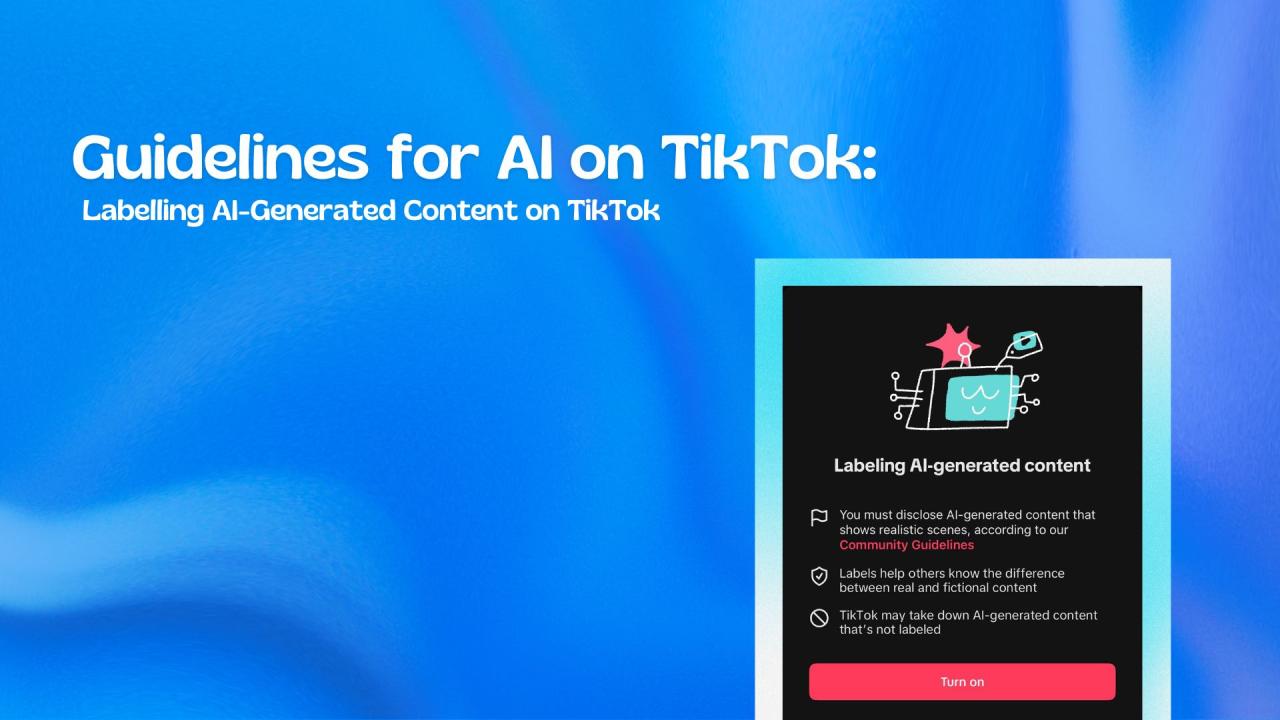
TikTok, like many social media platforms, has specific community guidelines that prohibit misinformation, offensive material, and copyright infringement. AI-generated content must be reviewed to ensure it does not unintentionally violate these policies. For instance, AI tools may produce outputs that resemble copyrighted material or contain biased or inappropriate elements. Regularly staying informed about platform updates and AI-related legal considerations helps creators avoid penalties or content removal.
Implementing internal review processes, such as manual checks before publishing, is an effective approach to mitigate risks associated with AI-created videos.Maintaining originality and avoiding copyright infringement are critical considerations when leveraging AI for TikTok content. Many AI tools generate content based on existing data, which can sometimes lead to derivative works or unintentional copying. To safeguard originality, creators should use AI tools that allow customization and avoid relying solely on templates or pre-trained models without modification.
Additionally, it is essential to verify the licensing and data sources of AI-generated assets, such as images and music, to prevent copyright violations. When incorporating third-party elements, proper attribution or licensing agreements should be secured, and creators should document their AI workflows to establish a clear record of originality.Transparency regarding AI involvement fosters trust and aligns with ethical standards in digital content creation.
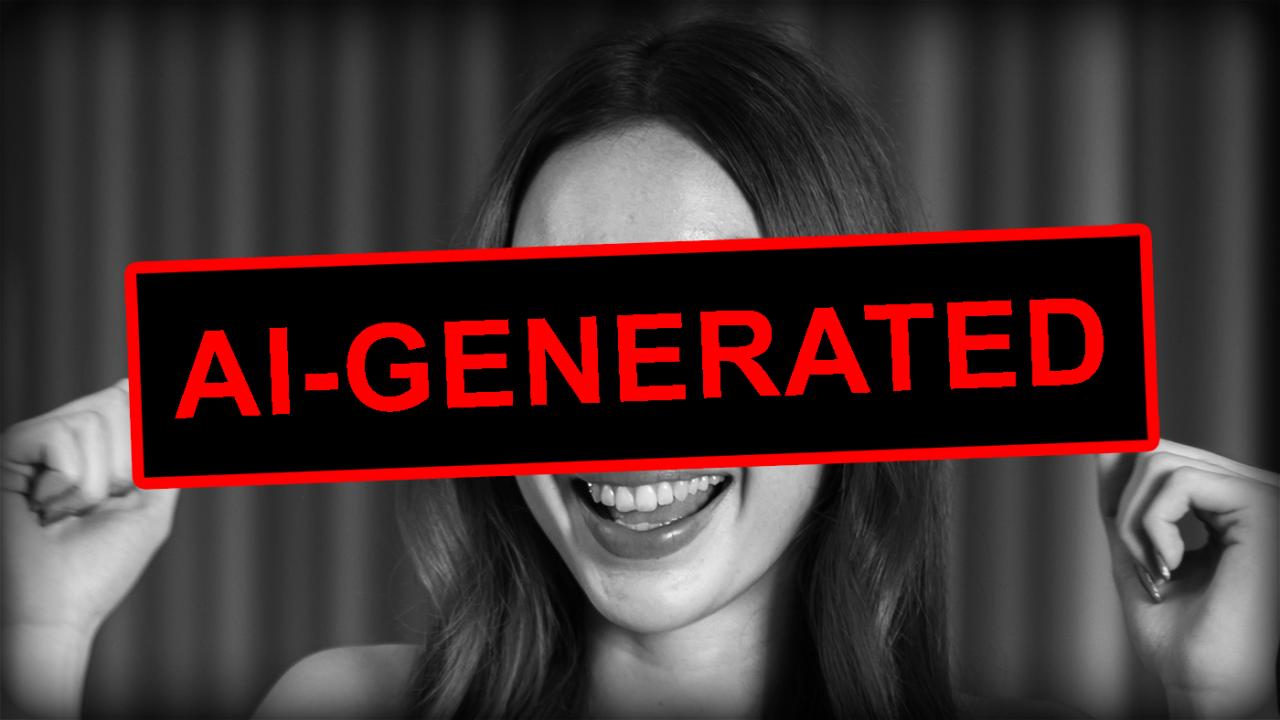
Disclosing that AI tools have been used to assist with content production demonstrates honesty to followers and complies with emerging regulations aimed at transparency. This can be achieved through simple disclosures within the video description, overlays, or captions, such as stating, “Generated with AI assistance,” or “Content created using AI tools.” Such transparency not only reinforces ethical integrity but also educates audiences about the evolving role of AI in media, encouraging informed consumption and engagement.In summary, proactive strategies for managing compliance and ethics include continuous education on platform policies, diligent review of AI outputs for originality and legality, and transparent disclosure of AI involvement.
These practices help creators build a reputable presence on TikTok, foster audience trust, and contribute positively to the responsible use of artificial intelligence in content creation.
Finalizing and Publishing AI-Enhanced TikTok Content
Creating high-quality TikTok content using AI tools is only part of the process; the final steps involve meticulous preparation for publishing to ensure maximum engagement and compliance with platform specifications. Properly finalizing and scheduling your content enhances its visual appeal, reach, and overall effectiveness, making your efforts more impactful and professional. This stage requires attention to detail in video formatting, strategic planning using AI scheduling tools, and thorough verification to guarantee your content meets TikTok’s standards.Ensuring your AI-augmented videos are correctly formatted and optimized for TikTok is vital to prevent playback issues and maximize viewer engagement.
Additionally, employing AI-powered scheduling tools simplifies the process of planning content release, allowing for consistent posting schedules that align with your target audience’s active hours. A well-organized publishing process not only streamlines your workflow but also boosts your content’s visibility and performance on TikTok.
Exporting and Formatting Videos for TikTok Compatibility
The successful publishing process begins with exporting your finalized video in a format compatible with TikTok’s technical specifications. TikTok primarily supports MP4 and MOV file formats, with recommended settings to optimize quality and playback. It is essential to ensure that videos are exported with the correct aspect ratio, resolution, and file size to prevent issues during upload or playback.
Check that the aspect ratio is set to 9
16, which is standard for vertical TikTok videos.
- Set the resolution to at least 1080 x 1920 pixels to maintain high visual quality.
- Keep the file size below 500 MB for smooth uploading and playback, optimizing compression without significant quality loss.
- Use recommended codecs such as H.264 for video and AAC for audio to ensure compatibility.
Before exporting, review the video for any artifacts or discrepancies introduced during editing or AI processing. Use editing software that allows customization of export settings, such as Adobe Premiere Pro, Final Cut Pro, or dedicated mobile apps. Conduct a final playback review to verify that the video displays correctly on different devices, ensuring the content is ready for upload.
Scheduling and Publishing Content Using AI Tools
Effective content scheduling enhances audience engagement by posting during peak activity times. AI scheduling tools streamline this process by analyzing audience behaviors, optimal posting times, and content performance data. Using these tools minimizes manual effort, reduces the risk of inconsistent posting, and ensures your videos reach viewers at the most opportune moments.
- Integrate AI scheduling platforms such as Later, Buffer, or TikTok’s native scheduling features, which often include AI-driven insights.
- Upload your finalized video into the scheduling tool, setting the desired publish date and time.
- Use AI-generated analytics to identify the best times for your specific audience, considering factors like time zones, days of the week, and peak activity hours.
- Add relevant hashtags, captions, and tags within the scheduling interface to enhance discoverability.
- Confirm the scheduled posts to ensure correct timing and content accuracy.
This systematic approach allows you to maintain a consistent posting schedule, facilitating audience growth and engagement over time.
Publishing Checklist for Final Review and Verification
To ensure a seamless publishing process, a comprehensive checklist helps verify all critical steps are completed. This prevents errors, guarantees quality, and aligns your content with platform standards.
| Step | Verification Point | Completed (Yes/No) |
|---|---|---|
| Video Format | Video is exported in MP4 or MOV format with H.264 codec | |
| Aspect Ratio | Aspect ratio set to 9:16 for vertical display | |
| Resolution | Resolution is at least 1080 x 1920 pixels | |
| File Size | File size below 500 MB for optimal upload | |
| Audio Quality | Audio is clear, synchronized, with AAC codec | |
| Metadata | Captions, hashtags, and tags are added and relevant | |
| Preview | Video preview displays correctly on all devices | |
| Scheduling | Content scheduled for optimal engagement times via AI tools | |
| Final Review | All content and settings verified before publishing |
Consistent and precise finalization procedures ensure your AI-enhanced TikTok content reaches audiences in the best possible quality and timing, ultimately boosting engagement and growth.
Final Wrap-Up
In conclusion, utilizing AI for creating TikTok content offers numerous advantages, including efficiency, creativity, and better audience targeting. As technology continues to evolve, embracing these tools can significantly improve your content strategy and output. By following best practices for ethics and compliance, you can confidently produce innovative videos that resonate with viewers and grow your presence on the platform.