Discover how to create engaging reels content using AI to elevate your social media presence. This innovative approach combines technology and creativity, enabling producers to craft captivating short videos with efficiency and originality. Whether you’re a content creator or a business looking to enhance your visual storytelling, understanding the process of AI-assisted reels production opens new avenues for impactful content creation.
This guide covers essential steps from selecting the right AI tools and brainstorming ideas to generating visuals, voiceovers, and editing features that ensure your reels stand out across platforms. Embracing AI in your content workflow facilitates faster production cycles while maintaining high quality and creative diversity.
Understanding Reels Content Creation with AI
Creating engaging short-form videos for platforms like Instagram Reels has become more accessible thanks to the advancements in artificial intelligence. AI-powered tools enable content creators to generate captivating videos efficiently, reducing the time and effort traditionally required in video production. By leveraging these technologies, users can produce professional-looking reels that resonate with their target audience and enhance their social media presence.
AI-assisted Reels content creation involves a systematic process where various tools handle different aspects of video production, from script generation to editing and visual effects. This approach democratizes content creation, making it possible for individuals and small businesses to compete with larger brands by producing high-quality videos without extensive technical expertise.
Process of Generating Engaging Short-Form Videos Using AI Tools
Generating compelling reels with AI typically involves several interconnected steps that streamline the entire production workflow. These steps ensure that the final content is not only visually appealing but also tailored to audience preferences and platform specifications.
- Concept Development and Scriptwriting: AI tools can assist in brainstorming ideas based on trending topics or niche interests. Natural language processing (NLP) algorithms generate scripts or voiceovers that match the theme of the reel, saving creators hours of planning.
- Visual Content Generation: AI-powered graphic generators and video synthesis tools help produce custom images, animations, and backgrounds. For instance, platforms like DALL·E or Runway ML enable the creation of unique visuals that can be integrated into the reel.
- Video Editing and Assembly: Automated editing platforms leverage AI to select the best clips, apply transitions, and synchronize audio with visuals. Tools like Magisto or Adobe Premiere Pro’s AI features facilitate quick assembly of polished videos.
- Music and Sound Effects Incorporation: AI-driven music generators and sound libraries allow creators to add fitting background scores and effects, enhancing the emotional impact of the reel.
- Optimization for Platform and Audience: AI analytics assess engagement metrics and suggest improvements such as optimal length, hashtags, or caption styles to maximize reach.
Advantages of Using AI for Creating Reels Content
The integration of AI into reels production offers numerous benefits that significantly elevate content quality and production efficiency. These advantages empower creators to focus more on the creative aspect while automation handles technical tasks.
- Time and Cost Efficiency: AI automates time-consuming processes such as editing, visual generation, and sound design, reducing production time from hours or days to mere minutes.
- Enhanced Creativity: AI tools inspire innovative ideas and provide diverse visual options, enabling creators to experiment with different styles and formats without extensive skills.
- Consistency and Quality: Automated editing and effect application ensure uniform quality across multiple reels, maintaining a professional appearance.
- Personalization and Audience Targeting: AI analytics facilitate tailored content that aligns with audience preferences, increasing engagement and follower growth.
- Access to Advanced Features: AI-driven tools democratize access to sophisticated functionalities like deepfake visuals, realistic animations, and intelligent editing, previously available only to large production teams.
Typical Steps Involved in AI-Assisted Reels Production
Understanding the workflow of AI-assisted reels creation helps streamline the process and optimize results. These steps integrate various AI tools to ensure a seamless production cycle from concept to publication.
- Idea Generation and Script Planning: Use AI platforms to identify trending topics and draft engaging scripts or voiceovers, aligning content with current audience interests.
- Visual and Audio Content Creation: Employ AI image generators and music composition tools to create custom visuals and soundtracks that complement the script.
- Automated Editing and Assembly: Upload raw footage or assets to AI editing platforms, which automatically select the best segments, add effects, and synchronize audio for a cohesive narrative.
- Optimization for Platform Specifics: Leverage AI analytics to fine-tune reel length, hashtag usage, and caption styles, ensuring maximum visibility on Instagram Reels.
- Publishing and Performance Analysis: Schedule uploads and use AI-driven performance metrics to evaluate engagement, refining future content strategies based on insights gained.
“AI tools empower content creators to produce high-quality reels rapidly, allowing for more experimentation and innovation in social media marketing.”
Selecting the Right AI Tools for Reels
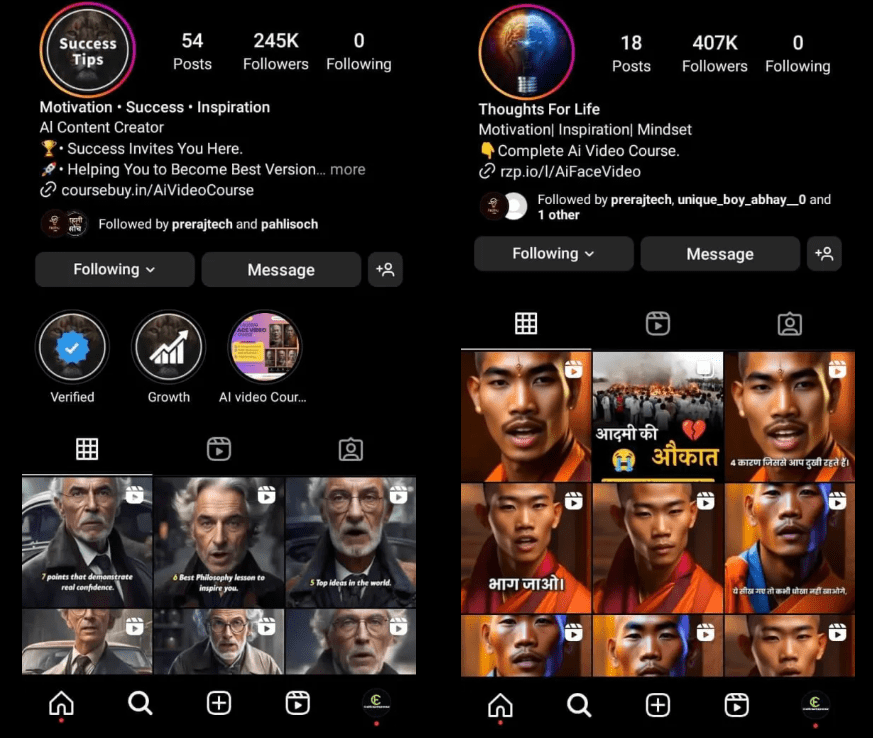
Choosing appropriate AI tools is a critical step in streamlining the creation of engaging reels. The right platform can significantly enhance productivity, improve content quality, and offer creative flexibility tailored to specific needs. With a variety of options available, understanding their features, usability, and output capabilities ensures that content creators can make informed decisions that align with their goals.
When evaluating AI tools for reels, it is essential to consider factors such as user interface intuitiveness, customization options, speed of processing, and the quality of generated videos. Whether you’re aiming for quick edits, advanced animations, or professional-grade visuals, matching the tool’s strengths to your content strategy will maximize both efficiency and impact.
AI Software and Platforms Suitable for Video and Content Creation
Below is a comprehensive list of popular AI-driven platforms that facilitate video editing, content generation, and creative automation, each offering unique features suited for reels creation:
- InVideo: An intuitive platform that provides AI-powered templates, automated voiceovers, and smart editing tools, enabling quick production of engaging short videos.
- Lumen5: Utilizes AI to transform text content into dynamic videos, ideal for marketers wanting to repurpose articles into reels with minimal effort.
- Animoto: Offers drag-and-drop functionalities combined with AI-driven customization, suitable for creating professional-looking reels swiftly.
- Pictory: Focuses on converting long-form content into short clips using AI, perfect for repurposing webinars or blogs into reels.
- Synthesia: Specializes in AI-generated avatars and voice synthesis, allowing users to create videos featuring virtual presenters without needing live actors.
- Designs.ai: Provides a suite of AI tools for video, logo, and branding content, supporting seamless integration for brand-focused reels.
- Magisto: An AI-powered video editor that automatically analyzes footage, applies effects, and produces polished reels with minimal user intervention.
Each of these tools brings distinct advantages, from simple editing interfaces to advanced automation features, catering to different levels of technical expertise and creative demands.
Comparison of Top AI Tools for Reels Creation
A clear understanding of the key specifications of leading AI platforms helps in making the most suitable choice. The following table summarizes essential features, ease of use, and output quality for prominent AI tools used in reel production:
| AI Tool | Key Features | Ease of Use | Output Quality | Best For |
|---|---|---|---|---|
| InVideo | Templates, automated voiceovers, AI-based editing suggestions | Highly user-friendly with drag-and-drop interface | High-quality HD videos with customizable options | Quick marketing reels, social media videos |
| Lumen5 | Text-to-video automation, media library, branding tools | Simple, suitable for beginners with minimal editing skills | Good to excellent, depending on input content | Content marketing, blog-to-video conversions |
| Animoto | Templates, music library, branded styles | Intuitive with guided steps for video creation | Professional quality with smooth transitions and effects | Event highlights, promotional reels |
| Pictory | Long-form to short-form video conversion, captions | Moderately easy, requires initial setup | High, with auto-captioning and scene selection | Webinars, tutorials, educational content |
| Synthesia | AI avatars, speech synthesis, multilingual support | Requires some learning curve, but intuitive interface | Professional-grade, highly realistic | Training videos, personalized messages |
Choosing an AI tool involves balancing features with usability and output quality, ensuring it aligns with your content creation objectives and technical comfort level.
Ideation and Planning Reels Content Using AI
Creating engaging Reels requires not only creativity but also effective planning and ideation. Leveraging AI tools can streamline the process of generating innovative ideas, organizing content, and scripting compelling narratives. Incorporating AI into your planning phase enhances productivity and ensures your content resonates with your target audience. This section explores methods to brainstorm reel topics with AI assistance, organize ideas into structured formats, and develop detailed scripts through AI-generated explanations.AI-powered tools offer advanced capabilities to identify trending topics, suggest creative angles, and analyze audience preferences.
These tools can analyze vast amounts of data from social media platforms, enabling creators to discover what content is currently engaging viewers. Moreover, AI can assist in categorizing and refining ideas by filtering out less relevant topics and highlighting those with high engagement potential. Using these methods allows content creators to develop a content calendar that aligns with current trends while maintaining originality.Organizing your ideas into storyboard formats facilitates a visual and logical flow of your reel.
By translating raw concepts into storyboards, creators can visualize scene transitions, key messages, and visual elements before production begins. AI tools can assist in this process by providing templates, suggesting shot sequences, or even generating visual storyboards based on textual inputs. This systematic approach reduces production time and enhances creative coherence, ensuring each reel communicates its intended message effectively.Developing a detailed script is a critical step in reel production.
AI-driven scripting tools can generate explanations, dialogues, or narration based on your core idea. By inputting your main concept, AI can produce multiple script variations, allowing you to select the most engaging version. Additionally, AI can help refine language, optimize pacing, and tailor the script to your audience’s preferences. Following a step-by-step guideline ensures that your scripts are clear, compelling, and aligned with your overall content strategy.
Generating Visuals and Animations with AI

Creating compelling visuals and animations is a vital aspect of producing engaging reels content. Leveraging AI-based graphic generators streamlines this process, allowing creators to develop eye-catching imagery efficiently. The ability to craft dynamic visuals not only enhances aesthetic appeal but also significantly improves viewer engagement and retention. By utilizing various AI tools, content creators can produce customized visuals that align perfectly with their branding and messaging strategies.AI-powered graphic generators harness deep learning algorithms to transform text prompts, sketches, or rough ideas into detailed images and animations.
These tools analyze input data and generate visuals that range from realistic photos to abstract art, providing a vast array of creative options. Additionally, these generators often include features for style transfer, enabling users to apply specific artistic styles or brand aesthetics to their visuals. This capability ensures visual consistency across reels, reinforcing brand identity and visual storytelling.
Designing Visuals and Animations Using AI-Based Graphic Generators
AI-based graphic generators utilize advanced neural networks to produce high-quality visuals by interpreting user inputs. These inputs can be descriptive prompts, rough sketches, or even existing images that the system enhances or transforms. Popular tools such as DALL-E, Midjourney, and Runway ML offer intuitive interfaces for generating a wide variety of visual styles, from photorealistic images to artistic illustrations.To effectively design visuals with AI, start by crafting detailed and specific prompts that describe the desired scene, color palette, mood, and style.
For example, a prompt like “a vibrant tropical sunset over mountains with animated waves” will guide the AI to generate a highly targeted output. Experimentation with prompt variations allows creators to refine visuals until they match their vision closely.Once the initial visuals are generated, further customization can be done to ensure they fit the branding requirements. This involves adjusting colors, overlaying logos, or adding text using editing tools such as Canva or Adobe Photoshop.
Some AI tools also provide options for fine-tuning images directly within the platform, allowing for seamless integration of branding elements without requiring extensive design expertise.
Creating Eye-Catching Backgrounds and Overlays for Reels
Backgrounds and overlays are essential elements that add depth and visual interest to reels. AI tools can generate vibrant and dynamic backgrounds suited to various themes and moods, making reels more captivating. These backgrounds can be abstract patterns, animated gradients, or environment scenes that set the stage for the main content.To create outstanding backgrounds, utilize AI generators by specifying the desired style, color scheme, and motion effects in your prompts.
For example, requesting “a swirling galaxy with neon accents” can produce a mesmerizing backdrop ideal for tech or nightlife themes. Many AI platforms also offer animation features, allowing backgrounds to move subtly, creating a more immersive viewer experience.Overlays, such as text boxes, frames, or decorative elements, can be customized through AI-assisted design tools. These overlays enhance readability and highlight key information in reels.
For instance, AI-generated overlays can be tailored in terms of transparency, style, and positioning to align with branding guidelines and thematic consistency. Combining AI-generated visuals with manual adjustments ensures that the final output is both eye-catching and well-branded.
Effective use of AI-generated visuals and overlays can transform ordinary reels into professional-grade content, elevating brand presence and viewer engagement.
Creating Voiceovers and Sound using AI
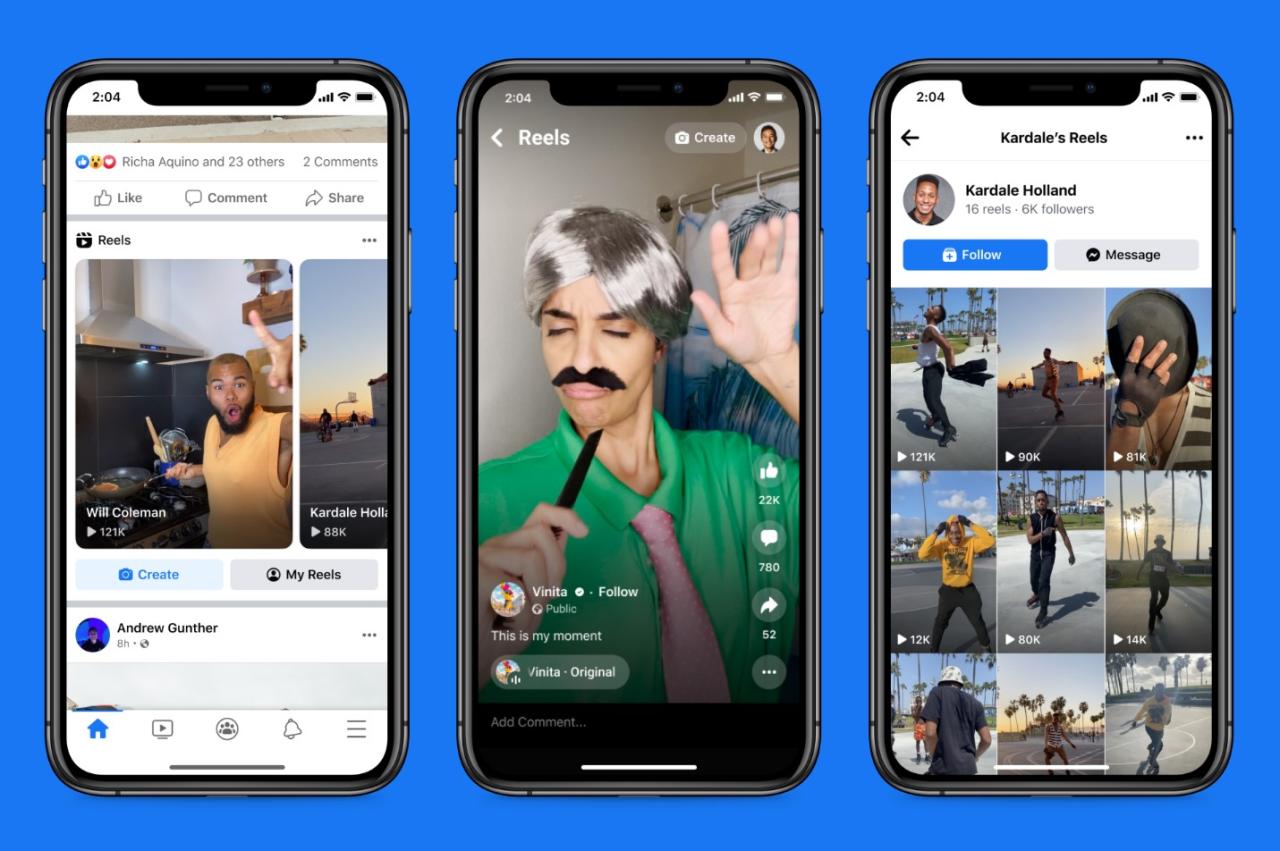
Producing high-quality voiceovers and sound effects is essential for engaging Reels content. Leveraging AI technologies allows creators to generate realistic and professional audio efficiently, enhancing the overall viewer experience. Mastery over AI-powered audio tools enables content creators to produce compelling narratives, background sounds, and effects that complement their visual storytelling seamlessly.AI-driven audio creation offers a versatile approach to generating voiceovers, sound effects, and background music tailored to specific themes or moods.
Integrating these elements with visual content requires careful synchronization to ensure a cohesive and engaging final product. This section explores methods for synthesizing realistic AI voices, selecting suitable sound effects and music, and organizing the process for seamless audio-visual integration in Reels.
Synthesizing Realistic AI Voiceovers
Creating natural-sounding voiceovers using AI involves employing advanced speech synthesis technologies that produce human-like speech patterns, intonations, and pronunciations. Reliable tools and platforms facilitate this process:
- Text-to-Speech (TTS) Engines: Platforms such as Google Cloud Text-to-Speech, Amazon Polly, and Microsoft Azure Speech Services offer high-fidelity voices that can be customized for tone, pitch, and speed.
- Voice Cloning Technologies: These enable replication of specific voices by training AI models on sample recordings, providing personalized voiceovers that match a creator’s or brand’s voice, exemplified by tools like Respeecher or iSpeech.
- Pre-recorded Voice Libraries: Some services provide a wide array of pre-recorded voices suitable for various content styles, reducing the need for extensive customization.
Choosing the right AI voice depends on the content’s tone, target audience, and branding consistency. Realistic voices should maintain natural intonation and clarity to engage viewers effectively.
Generating or Selecting Suitable Sound Effects and Background Music
Audio effects and background music significantly influence the mood and dynamism of Reels. AI tools facilitate the creation and selection of these audio components by offering expansive libraries and generation capabilities:
- AI-Powered Sound Libraries: Platforms like Epidemic Sound, Artlist, and Soundstripe provide vast collections of royalty-free music and sound effects that can be filtered based on genre, mood, or tempo.
- Sound Effect Generation: AI algorithms such as Adobe Podcast’s AI sound effects or Boom Library’s sound design tools can create or modify sound effects to fit specific scenes or actions within the Reel.
- Music Generation Tools: AI music composers like Amper Music, AIVA, and Jukebox (by OpenAI) enable creators to generate custom background tracks that align with the desired emotional tone.
When selecting music or effects, it is crucial to consider copyright restrictions, ensuring that all audio assets used are licensed for commercial or social media use to avoid legal issues.
Organizing the Syncing of AI-Generated Audio with Visual Content
Effective syncing of audio with visual elements is pivotal for maintaining viewer engagement and storytelling coherence. AI-assisted editing tools streamline this process:
- Aligning Voiceovers: Use timeline-based editing software such as Adobe Premiere Pro, Final Cut Pro, or DaVinci Resolve, which support precise syncing of AI-generated speech with visual cues or actions.
- Matching Sound Effects to Actions: Select or create sound effects that correspond accurately with visual movements or transitions. AI tools can automatically suggest or align sounds based on scene analysis.
- Adjusting Timing and Volume: Fine-tune the placement, duration, and volume levels of audio tracks using keyframes and automation features, ensuring natural integration with visuals.
- Utilizing AI-Assisted Editing Software: Emerging tools like Adobe Audition’s auto-sync features or Descript’s Overdub facilitate faster editing and better synchronization by analyzing audio-visual cues and making real-time adjustments.
Consistent review and iterative adjustments are vital to achieving seamless audio-visual harmony, ultimately resulting in polished and captivating Reels content.
Assembling Reels Content with AI Editing Tools
Creating a polished and engaging Instagram Reel requires seamlessly bringing together various visual and auditory elements. AI-powered editing tools have revolutionized this process by enabling content creators to compile, enhance, and finalize their Reels efficiently, even without extensive technical expertise. These platforms facilitate rapid assembly, ensuring that each component contributes cohesively to the overall narrative and aesthetic of the reel, ultimately saving time and elevating production quality.The process of assembling Reels involves integrating visuals, audio, and effects into a cohesive video that captures viewers’ attention from start to finish.
AI editing tools automate many editing tasks, such as synchronizing audio with visuals, applying filters, and optimizing transitions. This results in a smooth flow that maintains viewer engagement and professional appearance. By utilizing AI-driven features, creators can focus more on storytelling and creative expression rather than technical editing complexities.
Compiling Visuals, Audio, and Effects into a Cohesive Reel
In the compilation stage, selecting the right sequence of visuals, sound, and effects is crucial for maintaining narrative clarity and visual appeal. AI editing platforms often provide drag-and-drop interfaces where creators can organize media assets chronologically or thematically. These platforms automatically analyze the timeline to suggest improvements, such as balancing audio levels or adjusting visual pacing.AI tools can automatically synchronize background music with key moments in the visuals, enhancing emotional impact.
For example, aligning a beat drop with a transition or a change in scene heightens viewer engagement. Additionally, AI can identify and remove unwanted segments, such as shaky clips or muted sections, streamlining the assembly process. The goal is to create a seamless flow that guides viewers effortlessly through the content without distractions.
Using AI-Powered Platforms to Enhance Video Flow
AI-enhanced editing platforms leverage machine learning algorithms to improve video flow by analyzing scene transitions, pacing, and visual consistency. These platforms often include features such as auto-cut, which detects scene changes and suggests optimal cut points, and smart trimming, which removes unnecessary or redundant footage. This ensures that the reel remains dynamic and engaging without abrupt or awkward transitions.Furthermore, AI tools can analyze user engagement data to recommend pacing adjustments tailored to audience preferences.
For instance, if viewers tend to drop off during certain segments, the AI can suggest shortening or reordering those parts. AI-powered stabilization and color correction features also contribute to a more professional appearance by reducing camera shake and balancing color tones automatically.
Structuring Transitions, Filters, and Text Overlays Efficiently
Transitions, filters, and text overlays play a vital role in enhancing visual storytelling and maintaining a consistent style throughout the Reel. Efficient application of these elements can be achieved through AI tools that automate and optimize their placement and effects. Many platforms offer a library of transition effects that adapt to the content’s rhythm, with AI suggesting the most suitable options based on scene analysis.Filters can be applied universally or selectively, with AI algorithms analyzing each clip to recommend color grading adjustments that match the overall mood or branding style.
Text overlays are enhanced by AI features that automatically generate captions or titles, ensuring readability and proper timing. These tools assist creators in applying effects swiftly, maintaining visual coherence, and emphasizing key messages without overwhelming the viewer.
“AI editing tools streamline the post-production process, allowing creators to produce high-quality Reels efficiently while focusing on creative storytelling.”
Optimization and Finalizing Reels for Platforms
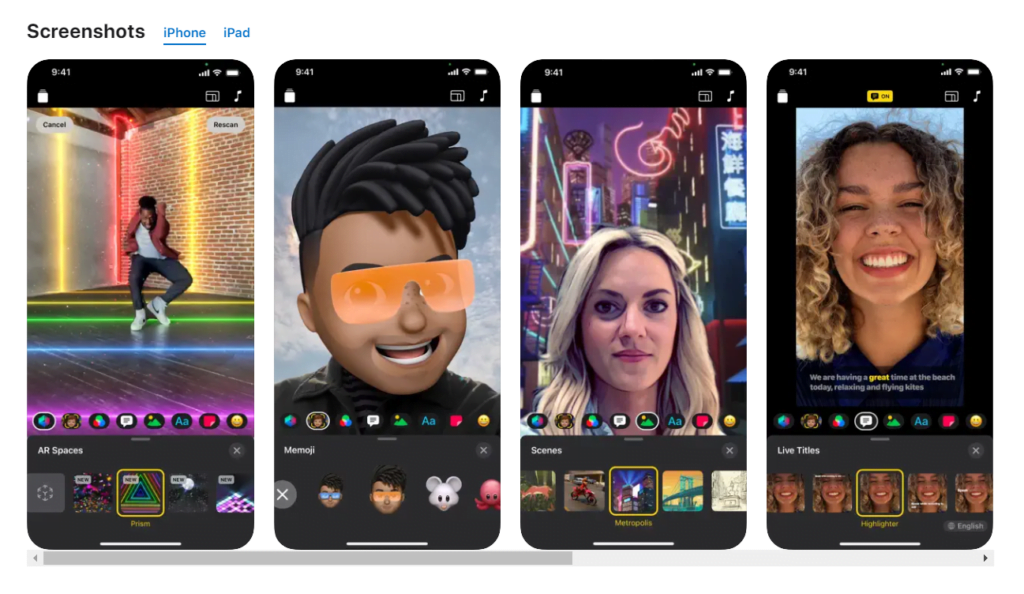
Creating engaging reels is only part of the success; optimizing and finalizing content for specific platforms ensures maximum reach and engagement. This stage involves tailoring your reels to meet platform-specific standards, compressing files efficiently, and adhering to best editing practices. Properly finalized reels not only look professional but also perform better in terms of visibility and audience interaction across various social media channels.Effective optimization requires understanding each platform’s unique requirements and user preferences.
By fine-tuning your reels before publishing, you can significantly enhance their impact and ensure they resonate with your target audiences. This section provides essential strategies for adapting your reels for different platforms, alongside procedures for exporting and compressing content without degrading quality, and a comprehensive checklist to maintain high editing standards.
Strategies for Optimizing Reels for Different Social Media Platforms
Optimizing reels involves customizing content dimensions, duration, and format to match platform-specific guidelines, thereby maximizing viewer engagement and algorithm favorability. Each social media platform has distinct requirements and audience behaviors that influence how reels should be crafted.Platform-specific considerations include:
- Instagram: Reels should be vertical, with an aspect ratio of 9:16, and durations of up to 90 seconds. Incorporate trending sounds and hashtags for better discoverability.
- TikTok: Similar to Instagram Reels, with an emphasis on trending challenges, sounds, and visual effects. Optimal length often hovers around 15-60 seconds.
- Facebook: Reels or short videos should have an aspect ratio of 4:5 to 9:16, with engaging captions and subtitles to retain viewers who watch without sound.
- YouTube Shorts: Require vertical videos with a maximum of 60 seconds, emphasizing eye-catching thumbnails and titles for discoverability.
Adjusting content length, adding platform-specific captions, and leveraging trending music or themes are essential for increasing visibility. Additionally, understanding audience demographics and peak engagement times enhances the relevance of your reels.
Procedures for Exporting and Compressing Content Without Quality Loss
Efficient exporting and compression preserve your reel’s visual and audio quality while reducing file size for faster uploads and smoother playback. This process involves choosing the right codecs, resolution settings, and compression tools suitable for each platform’s specifications.Key steps include:
- Utilize high-quality export settings, such as H.264 or H.265 codecs, which provide efficient compression with minimal quality reduction.
- Set resolution to the platform-specific aspect ratio, typically 1080×1920 pixels for vertical reels.
- Maintain a bitrate that balances quality and file size; generally, 8-12 Mbps suffices for most social media reels.
- Use professional video editing or compression software such as Adobe Media Encoder, HandBrake, or FFmpeg to streamline the process.
- Perform visual and audio quality checks post-compression to ensure clarity and engagement are retained.
A best practice involves exporting a master file first, then creating platform-specific versions to maintain consistency and quality across distribution channels. Proper compression minimizes loading times and buffering, enhancing user experience.
Checklist for Editing Standards, Aspect Ratios, and Captioning
Adhering to established editing standards ensures your reels meet platform guidelines and are visually appealing. An organized checklist helps streamline the final review process before publishing.
| Editing Standard | Details | Platform Requirements |
|---|---|---|
| Aspect Ratio | Maintain 9:16 for vertical reels; 4:5 for Facebook feeds; 1:1 for square videos if needed. | Instagram, TikTok, YouTube Shorts: 9:16; Facebook: 4:5 or 1:1 |
| Video Resolution | 1080 x 1920 pixels for vertical videos, ensuring clarity across devices. | All platforms support 1080p as standard; higher resolutions can improve quality but increase file size. |
| Captioning | Incorporate captions/subtitles for accessibility and viewers watching without sound. | Essential for Instagram, Facebook, TikTok, and YouTube Shorts to enhance engagement. |
| Duration | Optimal length varies: 15-60 seconds for TikTok and Reels, up to 90 seconds for Instagram, up to 60 seconds for Shorts. | Adhere to platform-specific maximum durations to ensure your reel is fully displayed. |
| Audio Quality | Use clear, balanced sound levels; add background music or voiceovers as needed. | Maintain consistent volume and sync audio properly for professional results. |
Ensuring consistency in visual and audio standards across all reels boosts brand professionalism and user trust.
Tips for Enhancing Creativity with AI
Creating engaging and innovative Reels content involves harnessing the full potential of artificial intelligence. By experimenting with AI configurations, combining multiple tools, and maintaining originality, creators can push the boundaries of their creativity and produce compelling visuals and narratives that resonate with their audience. These strategies not only foster innovation but also ensure that the content remains fresh, authentic, and captivating in the crowded social media landscape.Experimenting with different AI configurations allows creators to discover unique styles and effects that can set their Reels apart.
Adjusting parameters such as style transfer intensity, animation speed, or voice synthesis settings can produce diverse visual and auditory outcomes. For instance, modifying the level of abstraction in AI-generated visuals can lead to surreal or minimalist aesthetics, inspiring new storytelling approaches. Regularly testing these configurations encourages a mindset of innovation and helps identify optimal setups for specific content themes or target audiences.Combining multiple AI tools enhances the richness and depth of Reels content.
For example, integrating AI-generated visuals with voiceovers created by text-to-speech algorithms, complemented by AI-driven sound effects, can produce a seamless and immersive experience. Using AI editing platforms that offer both visual manipulation and sound enhancement can streamline workflows, enabling creators to develop complex, multi-layered content efficiently. Collaborative use of these tools fosters experimentation, allowing creators to explore new formats and styles that might be difficult to achieve manually.Maintaining originality while leveraging AI capabilities is vital for authentic content creation.
This involves setting clear boundaries on AI-generated outputs to ensure that the core message and personality of the creator remain central. Incorporating personal branding elements, storytelling, and unique perspectives alongside AI-generated assets helps preserve authenticity. Additionally, customizing AI outputs—such as tweaking generated visuals or voiceovers—adds a personalized touch that distinguishes a Reel from others relying solely on generic AI templates.
Regularly reviewing AI outputs and refining them based on personal style and audience feedback ensures the content stays true to the creator’s vision.In summary, by experimenting with diverse AI configurations, thoughtfully combining multiple AI tools, and prioritizing originality, creators can significantly elevate the quality and creativity of their Reels. These practices empower creators to innovate continuously while maintaining a genuine connection with their audience.
Ethical Considerations and Best Practices
As AI technology increasingly integrates into content creation, particularly for social media reels, adhering to ethical standards is essential. Responsible use of AI ensures the integrity of the content, respects intellectual property rights, and maintains trust with the audience. Establishing clear guidelines helps creators produce engaging yet ethically sound reels that reflect authenticity and respect for others.
Addressing ethical considerations involves understanding the implications of AI-generated content, safeguarding originality, and promoting transparency. Implementing best practices not only helps prevent potential misuse but also fosters a sustainable and trustworthy content creation environment.
Ethical Guidelines for AI-Generated Content Creation
Maintaining ethical integrity in AI-assisted reel creation requires adherence to established standards that prioritize honesty, transparency, and respect. Content creators should clearly disclose when AI tools have contributed significantly to the production process to uphold transparency and build audience trust. It’s also crucial to avoid using AI to disseminate misleading information, manipulate perceptions, or create false representations.
Ensuring the content does not infringe on intellectual property rights is a vital aspect of ethical creation. This includes respecting copyrights for visuals, music, and voiceovers, and avoiding the unauthorized use of copyrighted material. Responsible creators should also be aware of cultural sensitivities and avoid producing content that could be considered offensive or harmful.
Methods for Ensuring Authenticity and Avoiding Plagiarism
Authenticity in AI-generated reels can be preserved by combining AI tools with human oversight. Creators should critically review AI outputs, infusing their unique style and perspectives to prevent the content from appearing generic or recycled. Using original concepts and ensuring the visuals, voiceovers, and music are tailored and not directly copied from existing works enhances authenticity.
To avoid plagiarism, it is crucial to source AI-generated content responsibly. This includes utilizing royalty-free or licensed assets, citing sources where applicable, and employing plagiarism detection tools to verify originality. Consistently ethical practices promote credibility and safeguard creators from legal repercussions.
Do’s and Don’ts for Responsible AI Use in Reels
Responsible AI use in reels involves adhering to certain principles that promote ethical standards while maximizing creative potential. Below are some key do’s and don’ts to guide creators:
| Do’s | Don’ts |
|---|---|
| Disclose AI involvement transparently to your audience. | Use AI to create misleading or deceptive content. |
| Respect intellectual property rights by sourcing properly licensed assets. | Copy or replicate existing content without attribution or permission. |
| Use AI as a tool to enhance originality, creativity, and efficiency. | Replace human creativity entirely; neglect personal input and oversight. |
| Review and edit AI-generated content to ensure it aligns with ethical standards and personal voice. | Publish AI outputs without proper review or validation. |
| Be sensitive to cultural, social, and legal considerations relevant to your target audience. | Produce content that could be considered offensive, biased, or inappropriate. |
“Ethical AI use is about respecting originality, transparency, and societal norms to foster trust and integrity in digital content.”
Final Thoughts
In conclusion, leveraging AI for creating reels content offers a powerful way to streamline your production process and produce visually appealing, engaging videos. By understanding the various tools and best practices, you can unlock new levels of creativity and maintain authenticity in your content. Embrace these technological innovations to stay ahead in the dynamic world of social media marketing.