Understanding how to analyze website traffic using AI opens new avenues for optimizing online presence and enhancing user engagement. Leveraging artificial intelligence in traffic analysis enables website owners to gain deeper insights into visitor behavior, identify trends, and make data-driven decisions with greater accuracy and efficiency.
This comprehensive approach involves collecting relevant data, processing it through advanced AI techniques, visualizing key metrics, and interpreting insights to inform strategic improvements. By integrating these AI-powered tools, businesses can stay ahead in competitive digital landscapes and ensure their websites operate at optimal performance levels.
Overview of Using AI for Website Traffic Analysis
Artificial Intelligence (AI) has revolutionized the way website owners and digital marketers monitor and interpret web traffic data. By leveraging sophisticated algorithms and machine learning models, AI facilitates a deeper understanding of user behaviors, traffic patterns, and emerging trends with minimal manual intervention. This integration enhances decision-making processes, optimizes marketing strategies, and improves overall website performance.
Implementing AI tools for traffic analysis offers numerous benefits, including real-time data processing, predictive analytics, automated insights, and personalized user experience recommendations. These advantages enable website administrators to swiftly respond to fluctuating traffic dynamics, identify potential issues proactively, and tailor content or campaigns to better meet visitor needs. The resulting efficiency and precision significantly boost engagement and conversion rates.
AI-Driven Traffic Analysis Workflows
Understanding the typical workflow of AI-powered website traffic analysis is crucial for effective implementation. The process generally involves several interconnected stages that utilize advanced technology to transform raw data into actionable insights. The following flowchart delineates these stages in a simplified manner:
| Data Collection | Data Processing & Cleaning | Analysis & Modeling | Insight Generation & Action |
|---|---|---|---|
|
Website traffic data is gathered through various sources such as server logs, tracking pixels, and third-party analytics tools. This data includes visitor demographics, page views, session durations, referral sources, and device types. Ensuring comprehensive data collection is fundamental for accurate analysis. |
The raw data undergoes preprocessing steps including data cleaning, normalization, and transformation. This stage removes inconsistencies, fills missing values, and structures data in a format suitable for machine learning algorithms. Effective data processing enhances model accuracy and reliability. |
AI models, such as clustering, classification, or regression algorithms, analyze the processed data to identify patterns, segment visitors, and predict future traffic trends. Techniques like supervised learning can forecast peak traffic periods, while unsupervised methods uncover visitor segments with similar behaviors. |
The insights generated inform strategic decisions. Automated dashboards display key metrics, anomaly detection systems flag unusual activity, and predictive models suggest actions to optimize user engagement. This continuous feedback loop allows for dynamic adjustments to website content and marketing strategies. |
“AI-driven website traffic analysis transforms vast, complex data into actionable insights, enabling proactive, data-informed decisions that drive business growth.”
Data Collection Techniques with AI

Effective website traffic analysis hinges on gathering precise and comprehensive data. Leveraging AI-powered tools significantly enhances the accuracy, speed, and depth of data collection processes. These techniques enable website owners and analysts to capture a wide array of user interactions, environmental factors, and performance metrics, facilitating a nuanced understanding of visitor behavior and site performance.
Implementing AI-driven data collection methods involves deploying advanced tracking solutions and establishing reliable data ingestion pipelines. Proper setup not only ensures continuous and accurate data flow but also optimizes the capacity to analyze and interpret traffic patterns in real time. The following detailed procedures Artikel how to set up these systems and organize the collected data effectively.
Methods for Gathering Website Performance Data through AI-powered Tools
AI-powered tools employ various sophisticated techniques to collect website performance data, ranging from user behavior tracking to server performance monitoring. These tools often integrate machine learning algorithms that analyze raw data streams for predictive insights, anomaly detection, and pattern recognition. Common methods include:
- Automated User Behavior Tracking: AI tools like heatmaps and session recordings automatically capture where users click, scroll, and hover, providing granular insights into engagement levels.
- Real-Time Data Monitoring: AI systems continuously monitor server response times, page load speeds, and error rates, alerting analysts to potential issues proactively.
- Predictive Analytics: Machine learning models analyze historical traffic data to forecast future trends and identify potential traffic spikes or drops.
- Natural Language Processing (NLP): AI can analyze user feedback, reviews, and support interactions to understand sentiment and common issues, enriching traffic data with qualitative insights.
Procedures for Setting Up Tracking Scripts and AI Data Ingestion Sources
Establishing accurate and efficient data collection systems involves deploying tracking scripts on your website and configuring AI data ingestion sources. These steps ensure that relevant performance and user data are captured and fed into analytical models seamlessly.
- Integrate Tracking Scripts: Insert JavaScript snippets provided by AI analytics platforms (e.g., Google Analytics enhanced with AI features, Hotjar, or custom AI modules) into your website’s header or footer. Ensure scripts are loaded asynchronously to prevent page load delays.
- Configure Data Sources: Set up APIs or SDKs that connect your website’s backend with AI data ingestion platforms. This might include integrating with cloud services like AWS, Azure, or Google Cloud, which support scalable data pipelines.
- Define Data Points: Specify the key metrics and events to track, such as page views, click events, form submissions, and error occurrences. Use custom event tracking to capture specific user interactions relevant to your analysis goals.
- Establish Data Pipelines: Use AI-enabled ETL (Extract, Transform, Load) tools to automate data ingestion from various sources, including logs, APIs, and third-party integrations. Ensure data is cleaned, normalized, and stored in accessible formats for analysis.
Key Data Points Organized in a Responsive Table
Having a clear overview of the types of data collected, their sources, collection methods, and update frequency helps optimize traffic analysis efforts. The following table summarizes essential data points:
| Data Type | Source | Method | Frequency |
|---|---|---|---|
| Page Views | Website Server Logs, Analytics Tools | Automated Tracking Scripts, Log Parsing | Real-Time / Continuous |
| User Interactions | Heatmaps, Session Recordings | AI-Enhanced Tracking Scripts | Real-Time / Continuous |
| Click Events | Event Tracking Scripts | JavaScript Event Listeners with AI Tagging | Real-Time / Continuous |
| Performance Metrics | Server Monitoring Tools, APM (Application Performance Monitoring) | AI-Based Monitoring Platforms | Real-Time / Continuous |
| Traffic Sources | Referral Data, UTM Parameters | Analytics and AI Correlation | Real-Time / Daily |
| Sentiment & Feedback | Customer Feedback Forms, Social Media | NLP Analysis by AI | Periodic / As Collected |
Processing and Preprocessing Website Data Using AI

Effectively analyzing website traffic begins with rigorous processing and preprocessing of raw data to ensure accuracy and meaningful insights. Raw website data, often captured by analytics tools, can contain noise, inconsistencies, and irrelevant information that hinder analysis. AI-powered processing techniques facilitate cleaning, normalizing, and preparing data for advanced analysis, enabling businesses to derive actionable insights with confidence.
Implementing AI techniques for data cleaning and normalization not only streamlines the analytical workflow but also enhances the reliability of traffic patterns, user behavior, and engagement metrics. These processes help in identifying unusual activities such as bot traffic or fraudulent interactions, as well as ensuring our datasets are consistent and comparable over time. Below are key methods and techniques used in AI-driven data preprocessing for website traffic analysis.
Data Cleaning and Preparation Steps
Preparing website traffic data involves several essential steps that transform raw, unstructured data into a clean and analyzable format. Each step ensures that the subsequent analysis accurately reflects genuine user behaviors and site performance metrics.
- Filtering Spam and Bot Traffic: AI algorithms, such as machine learning classifiers, can distinguish between human and automated traffic by analyzing patterns like request frequency, session duration, and user-agent strings. Filtering out non-human traffic prevents skewed analytics and provides a clearer picture of actual user engagement.
- Handling Missing or Incomplete Data: Data gaps are common due to tracking errors or privacy restrictions. AI techniques like imputation models or predictive analytics can estimate missing values based on existing data trends, ensuring continuity in analysis.
- Removing Irrelevant or Duplicate Entries: Duplicate records, such as multiple identical requests, can distort traffic metrics. AI-based deduplication algorithms detect and eliminate redundant data, enhancing data integrity.
- Data Transformation and Formatting: Converting raw logs into structured formats such as tables or matrices, with standardized time zones, date formats, and consistent user identifiers, facilitates seamless analysis and integration with visualization tools.
AI Techniques for Anomaly Detection and Data Normalization
AI techniques play a critical role in identifying anomalies—unexpected spikes or drops in traffic—that could indicate issues like cyberattacks, tracking errors, or genuine shifts in user behavior. Moreover, normalization aligns data from different sources or periods, making comparisons valid and meaningful.
Anomaly detection algorithms: Utilize machine learning models such as Isolation Forests, One-Class SVMs, or neural networks trained to recognize deviations from normal traffic patterns. These models analyze features like session duration, page views, and referral sources to flag suspicious activities.
Data normalization approaches: Techniques like min-max scaling, z-score standardization, or logarithmic transformation adjust data ranges and distributions. These methods mitigate issues caused by scale differences, ensuring that features like page views and bounce rates are comparable across datasets.
Implementing AI-driven anomaly detection helps in proactively identifying and addressing issues such as fraudulent activity or technical glitches, while normalization ensures that analysis outcomes are consistent and reliable across different timeframes and segments.
Analyzing Traffic Patterns with AI Algorithms

Understanding user behavior and traffic trends is essential for optimizing website performance, enhancing user experience, and informing strategic decisions. Artificial Intelligence (AI) provides powerful tools to automatically detect, interpret, and predict traffic patterns by analyzing vast amounts of web data. Machine learning algorithms can uncover subtle insights that might be difficult to identify through manual analysis, enabling more accurate and real-time understanding of how visitors interact with a website.
By leveraging AI algorithms for traffic pattern analysis, website administrators can identify peak usage times, common navigation paths, recurring user segments, and potential bottlenecks. This knowledge supports targeted marketing campaigns, personalized content delivery, and infrastructure planning. The selection of appropriate AI models depends on the specific objectives, data characteristics, and desired outputs, whether it is clustering similar user behaviors or classifying sessions based on engagement levels.
Identifying User Behavior Trends with AI Models
Machine learning models analyze user interaction data—such as page views, clickstreams, session durations, and conversion events—to recognize patterns and trends in website traffic. These models can classify users into segments based on behavior, predict future actions, and detect anomalies indicating issues like bot traffic or security threats. For example, clustering algorithms can group visitors with similar browsing habits, enabling personalized content targeting, while predictive models help forecast traffic surges or drops, facilitating resource allocation and capacity planning.
Comparison of AI Algorithms for Traffic Pattern Recognition
Different AI algorithms serve distinct purposes in traffic analysis, each with its own strengths and limitations. Selecting the most suitable model depends on the specific analysis goals, the nature of the data, and computational resources available. The following table summarizes common algorithms used in traffic pattern recognition:
| Algorithm | Typical Use Cases | Advantages | Limitations |
|---|---|---|---|
| K-Means Clustering | Grouping similar user segments based on behavior metrics such as session duration or page interactions. | Simple to implement; computationally efficient; effective for discovering natural groupings in data. | Requires specifying the number of clusters; sensitive to initial seeding; may not handle non-spherical clusters well. |
| Hierarchical Clustering | Identifying nested user behavior patterns and creating detailed segment hierarchies. | Does not require predefining the number of clusters; provides dendrograms for interpretation. | Computationally intensive with large datasets; choice of linkage method impacts results. |
| Decision Trees | Classifying sessions into categories such as high vs. low engagement or identifying user intent. | Interpretable; handles both categorical and numerical data; minimal data preprocessing. | Prone to overfitting; may require pruning or ensemble methods for improved performance. |
| Random Forest | Predicting user actions or segment membership with high accuracy by aggregating multiple decision trees. | Robust to overfitting; handles large feature spaces; provides feature importance metrics. | Less interpretable than single decision trees; computationally more demanding. |
| Neural Networks | Modeling complex user behavior sequences and making predictions based on temporal data, such as session navigation paths. | Capable of capturing intricate patterns; adaptable to various data types. | Require significant data and computational power; less transparent in decision-making process. |
In practical application, combining algorithms—such as using clustering to identify user segments followed by classification to predict behaviors—can yield comprehensive insights. For example, a website may employ K-Means to segment visitors and then use decision trees to classify high-value users, enabling targeted engagement strategies. Understanding the strengths and limitations of each AI approach allows analysts to tailor their traffic analysis strategies effectively, leading to more actionable insights and improved website performance.
Visualizing Website Traffic Data

Effective visualization of website traffic data is essential for deriving actionable insights and communicating findings clearly to stakeholders. Leveraging AI-powered visualization tools enables the creation of dynamic, interactive dashboards that adapt to evolving data patterns, providing real-time updates and deeper analytical capabilities. These visual tools serve as the bridge between raw data and strategic decision-making, transforming complex traffic metrics into understandable visual formats.
Implementing best practices in data visualization ensures that traffic insights are presented in a comprehensible and impactful manner. Selecting appropriate chart types, heatmaps, and graphs allows analysts to highlight key trends, user behavior, and anomalies. Proper organization and clarity in visualization help stakeholders quickly grasp vital information, supporting data-driven strategies for website optimization and marketing efforts.
Approaches for Creating Dynamic Dashboards Using AI-Powered Visualization Tools
Creating interactive dashboards with AI integration involves utilizing tools that automatically update traffic metrics, identify trends, and suggest visual modifications based on data analysis. AI algorithms can personalize dashboard components to focus on metrics most relevant to specific user roles or objectives, such as bounce rates for marketers or conversion funnels for sales teams. These dashboards often include features like drill-down capabilities, real-time alerts, and predictive analytics, providing a comprehensive view of website performance.
Popular AI-driven visualization platforms like Tableau, Power BI, or Google Data Studio incorporate machine learning modules that enhance data interpretation. These tools can automatically detect outliers, forecast future traffic patterns, and generate recommendations for optimizing website layout or content based on user interaction data. The dynamic nature of these dashboards ensures continuous monitoring and rapid response to emerging trends or issues.
Best Practices for Presenting Traffic Insights via Charts, Heatmaps, and Graphs
Choosing the right visual representation is paramount in communicating website traffic insights effectively. Clear, well-designed visuals facilitate better understanding and decision-making. When designing visualizations, consider the following best practices:
- Consistency in Color Coding: Use consistent color schemes to represent data categories or performance levels, aiding quick interpretation.
- Highlight Key Metrics: Emphasize critical data points such as peak traffic hours, high bounce rates, or conversion zones to draw attention to significant insights.
- Utilize Interactive Elements: Incorporate filters, tooltips, and zoom features in dashboards to allow users to explore data layers and granular details independently.
- Employ Heatmaps for User Engagement: Heatmaps effectively visualize areas of high and low user activity on website pages, helping identify which sections attract the most attention or require redesign.
- Select Appropriate Chart Types: Use line charts for trend analysis, bar charts for comparative metrics, and pie charts for distribution insights, ensuring each visual matches the data’s nature.
Effective data visualization transforms raw website traffic metrics into insightful narratives, enabling strategic improvements and fostering data literacy across teams.
Interpreting AI-Generated Insights
Transforming the outputs of AI-driven website traffic analysis into effective strategies requires a clear understanding of the insights provided. Proper interpretation enables website owners and marketers to make data-informed decisions that enhance user engagement, optimize content, and improve overall site performance. As AI tools generate comprehensive reports on various aspects of traffic, the next critical step is translating these findings into concrete actions that align with business objectives.
AI-generated insights often highlight patterns and anomalies within complex datasets, making it essential to contextualize these findings within the broader marketing and operational strategies. By systematically analyzing insights such as peak activity times, user demographics, and traffic sources, stakeholders can identify areas for improvement and tailor their efforts accordingly, ensuring that the website evolves in response to real user behavior and preferences.
Converting Insights into Actionable Strategies
Effectively leveraging AI insights involves a structured approach to interpret data and implement targeted improvements. This includes prioritizing insights based on their impact, feasibility, and alignment with strategic goals. For example, if AI analysis reveals that a significant portion of traffic originates from social media platforms during specific hours, marketers can increase content publishing activity or advertising efforts during those peak periods to maximize reach and engagement.
Additionally, insights about user segments—such as age groups, geographic locations, or device preferences—can inform personalized content strategies and user experience enhancements. Traffic source analysis may identify underperforming channels that, if optimized, could yield higher visitor volumes or conversions. By translating insights into specific, measurable actions—such as adjusting ad spend, refining tactics, or designing targeted campaigns—businesses can continuously improve their website’s effectiveness.
Insights, Implications, and Recommended Actions
| Insight | Implications | Recommended Actions |
|---|---|---|
| Peak Traffic Hours | High visitor activity during specific times indicates optimal periods for content posting, promotional offers, or live interactions. | Schedule new content releases, webinars, or promotional campaigns during identified peak hours to maximize visibility and engagement. |
| User Segments | Understanding distinct user groups helps tailor content and design to improve user experience and retention. | Create personalized content, targeted email campaigns, and customized website layouts to better serve identified segments. |
| Traffic Sources | Identifying high-performing channels provides insights into where to allocate marketing resources for better ROI. | Invest more in successful channels such as organic search or social media, and optimize underperforming sources through targeted or advertising strategies. |
| Device Usage Patterns | Recognizing popular devices informs website design decisions, ensuring compatibility and optimal performance across platforms. | Implement responsive design improvements and test website functionalities on prevalent devices to enhance user experience. |
| Conversion Trends | Tracking conversion rates across different traffic segments reveals opportunities for process optimization and funnel improvements. | Refine landing pages, streamline checkout processes, or adjust call-to-actions based on the most and least converting segments. |
Using these insights effectively involves continuous monitoring and adjustment, ensuring that each change aligns with overarching business objectives and user needs. This iterative process enables the website to adapt proactively, ultimately leading to increased traffic quality and higher conversion rates.
Automating Traffic Monitoring and Reporting with AI
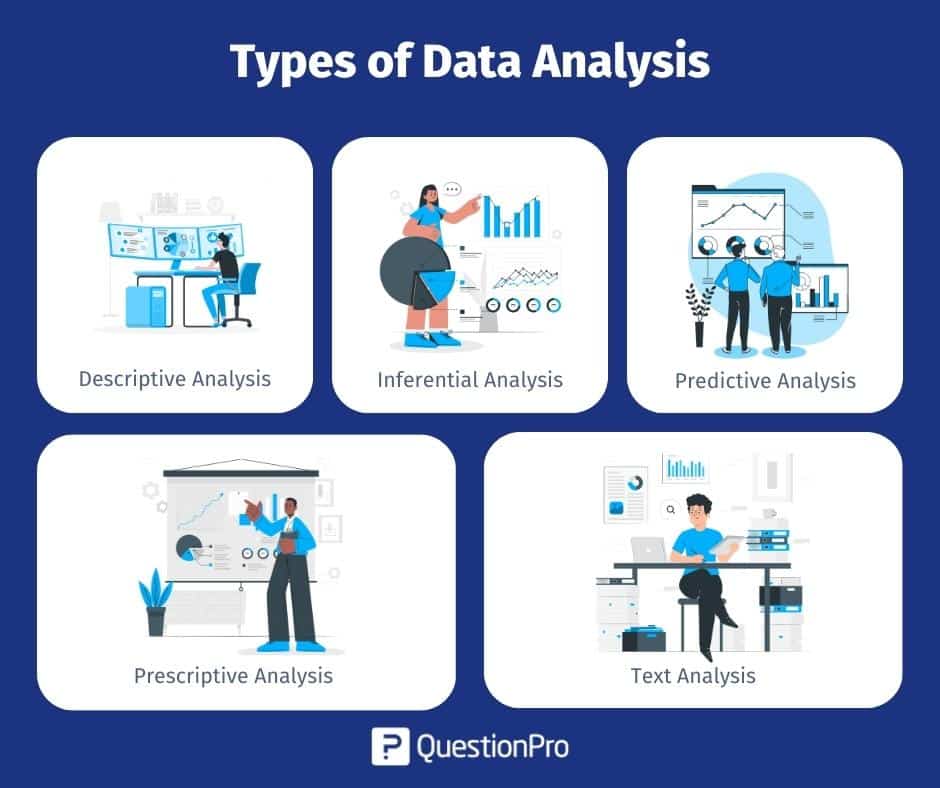
Efficient website traffic analysis extends beyond manual data review, emphasizing the importance of automation to ensure timely insights and proactive management. Leveraging AI technologies enables the setup of continuous monitoring systems that can detect anomalies, generate comprehensive reports, and alert teams instantly when specific thresholds or unusual patterns are identified. This approach enhances operational responsiveness, optimizes resource allocation, and supports strategic decision-making with minimal manual intervention.
Automating traffic monitoring and reporting involves integrating AI-driven tools into existing analytics workflows to streamline data oversight and facilitate real-time updates. By establishing automated processes, teams can focus on interpreting insights rather than gathering and processing vast amounts of raw data, ultimately leading to faster and more accurate responses to website performance issues or opportunities.
Procedures for Setting Up Automated Alerts Based on Traffic Anomalies
Automated alerts serve as the first line of defense in maintaining website health by notifying relevant personnel when traffic irregularities occur. Establishing an effective alert system involves:
- Defining Anomaly Detection Criteria: Set specific parameters that signal an anomaly, such as sudden traffic spikes or drops, unusual geographic activity, or unexpected referral sources. AI models analyze historical data to establish normal traffic patterns and identify deviations.
- Configuring AI-Based Monitoring Tools: Use AI platforms or analytics solutions that support real-time monitoring. These tools can be programmed to track the predefined anomaly criteria continuously.
- Setting Thresholds for Alerts: Determine threshold levels for various metrics. For example, a traffic increase exceeding 50% within an hour may trigger an alert, or a sudden decrease below a certain baseline may indicate issues.
- Automating Notification Delivery: Integrate alert systems with communication channels such as email, SMS, or messaging apps. When an anomaly is detected, instant notifications are dispatched to designated teams for immediate investigation.
- Implementing Feedback Loops: Continuously refine anomaly detection thresholds based on feedback and observed false positives or negatives, ensuring alerts remain relevant and accurate.
Generating Regular Traffic Performance Reports with AI
Consistent, automated reporting provides stakeholders with actionable insights into website performance over time. These reports help track progress, identify trends, and support strategic planning.
- Scheduling Periodic Reports: Use AI tools to generate daily, weekly, or monthly reports automatically, reducing manual effort and ensuring consistency in report delivery.
- Summarizing Key Metrics: Compile essential KPIs such as total visits, bounce rate, average session duration, conversion rates, and source/medium breakdowns into comprehensive summaries.
- Including Anomaly Summaries: Highlight detected anomalies, traffic spikes or drops, and the corresponding AI-generated insights explaining possible causes or correlations.
- Customizing Reports for Different Stakeholders: Tailor report content and detail level based on the audience—technical teams may require granular data, while executive summaries focus on high-level metrics.
- Distributing Reports via Automation: Schedule automatic email or dashboard updates to ensure timely dissemination, allowing teams to act swiftly on the insights provided.
Organization of Automation Features and Capabilities
Implementing AI-driven automation involves a suite of features that collectively enhance traffic analysis efficiency. Understanding these capabilities enables organizations to optimize their website monitoring infrastructure:
| Feature | Description | Benefits |
|---|---|---|
| Real-Time Monitoring | Continuous tracking of website traffic metrics with instant anomaly detection. | Immediate alerts prevent prolonged issues and enable rapid response. |
| Automated Alerting | Customizable notifications triggered by predefined thresholds or pattern deviations. | Ensures relevant teams are promptly informed, reducing manual oversight. |
| Scheduled Reporting | Automated generation and distribution of detailed performance reports at regular intervals. | Maintains consistent oversight and facilitates trend analysis over time. |
| AI-Powered Anomaly Detection | Utilizes machine learning algorithms to identify traffic irregularities beyond simple threshold checks. | Reduces false positives and uncovers subtle patterns indicating underlying issues or opportunities. |
| Dashboard Integration | Visualization dashboards updated automatically with the latest metrics and alerts. | Provides a centralized, real-time view of website performance for quick assessment. |
| Predictive Analytics | Uses historical data and AI models to forecast future traffic trends and potential bottlenecks. | Supports proactive planning and capacity management. |
Incorporating these automation features into your AI-driven website analytics environment ensures a proactive approach to traffic management, reducing manual workload, and enabling swift, informed decision-making.
Final Summary
In conclusion, mastering how to analyze website traffic using AI offers substantial benefits for understanding visitor dynamics and enhancing overall site performance. From data collection to actionable insights, AI empowers website administrators to make smarter, faster decisions that drive growth and success in the digital realm.